Previously we saw what the Rock tool is and how it works. Specifically, we learned how to manage tasks in this useful app. However, now we will go a little further. Indeed, it is well known that one of the most striking features of Rock is the ability of collaboration between members. Consequently, in this post, we are going to learn how to add comments to the tasks assigned in Rock.
Why it is useful to add comments to the tasks.
Once we have assigned the task, we can't just forget about it. Indeed, it is important to be able to follow up on it. With this in mind, Rock provides the possibility to add comments to the tasks that are in progress. In addition, the assigned members write these comments. Comments can also be assigned to categorize. Let's see how the process works. The first thing you have to do is to go to the Rock dashboard. Once there, just click on Tasks.
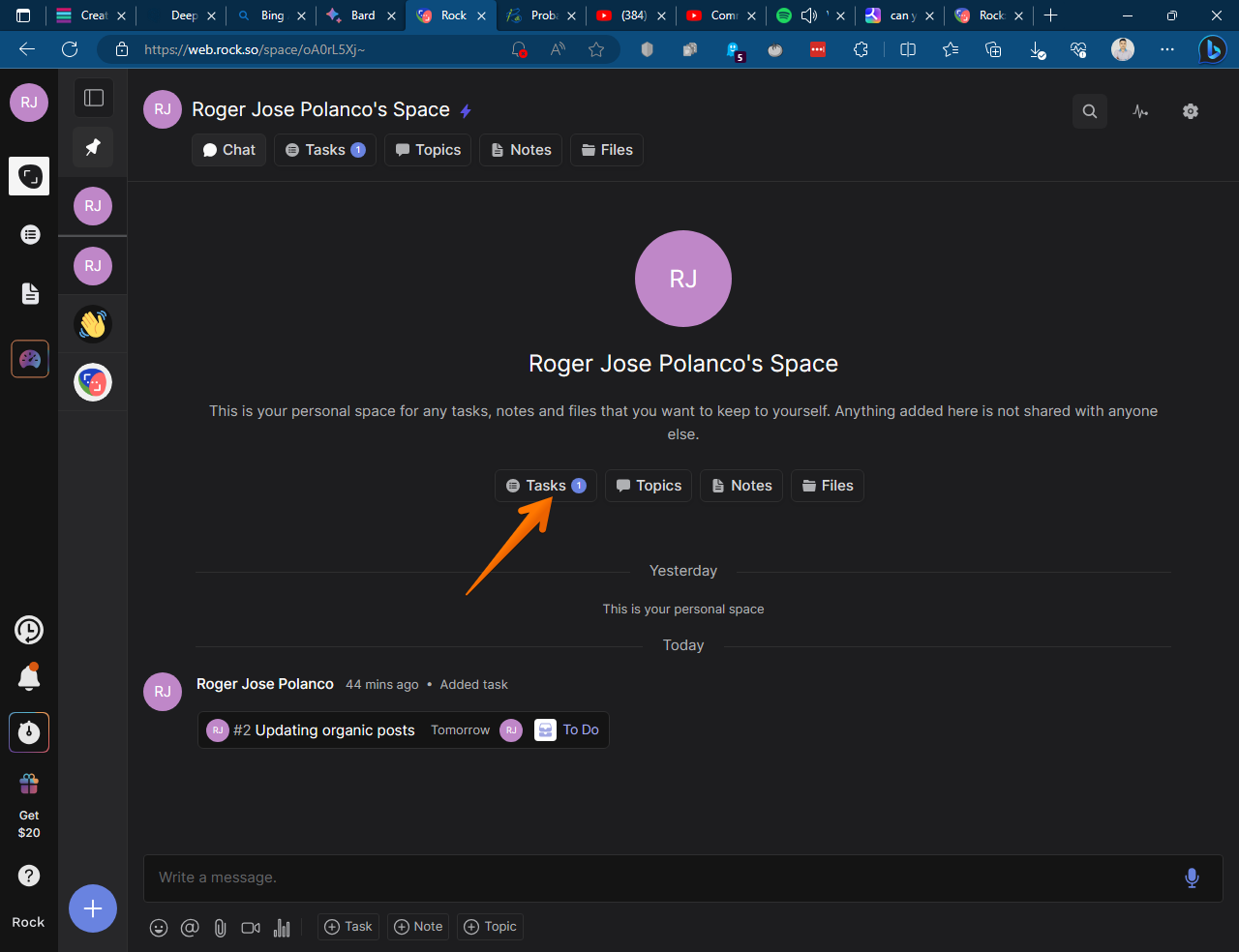
The currently set task list is immediately displayed. Next, simply select the task to which you want to add the comment.
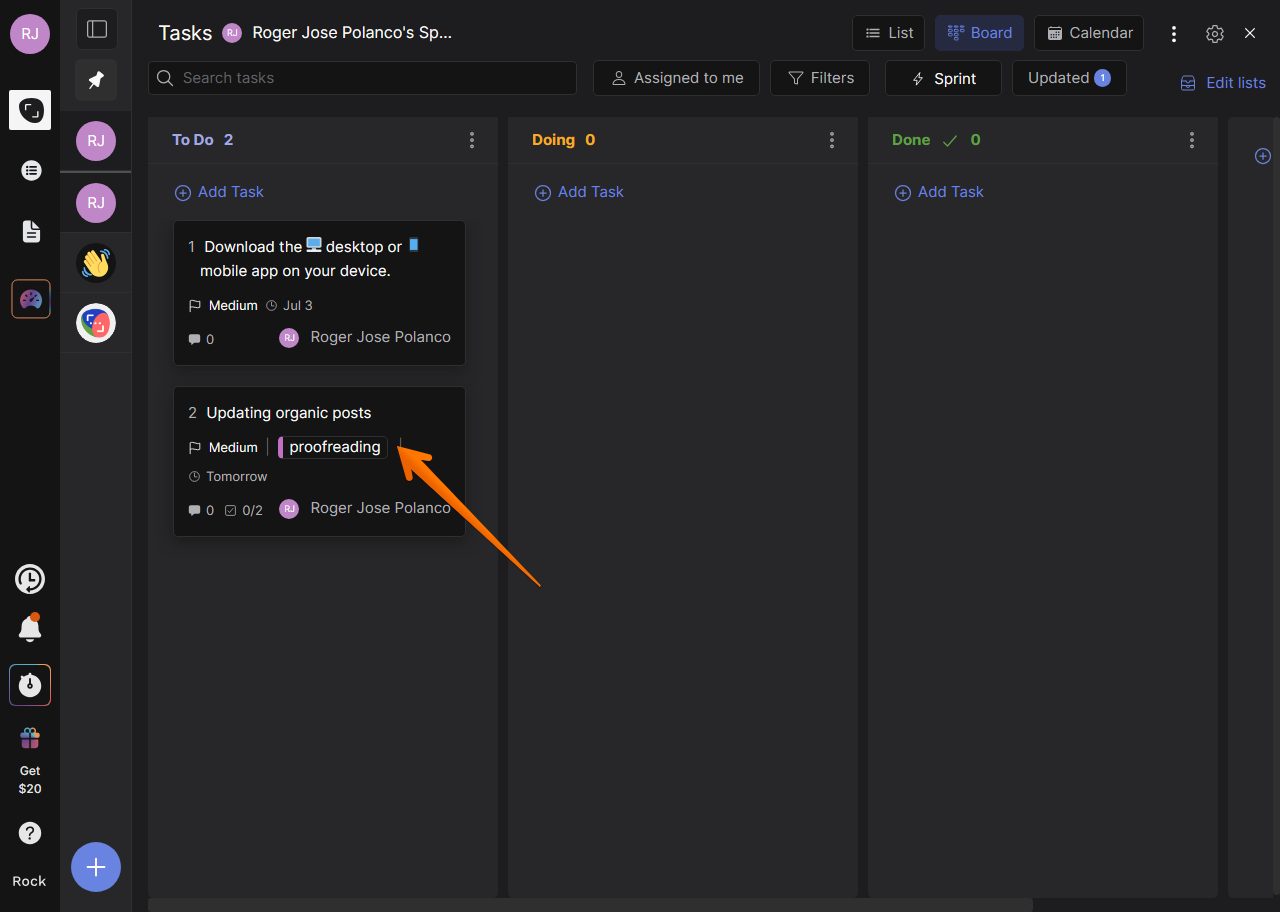
Next, scroll down to the bottom of the page to the Activity section.
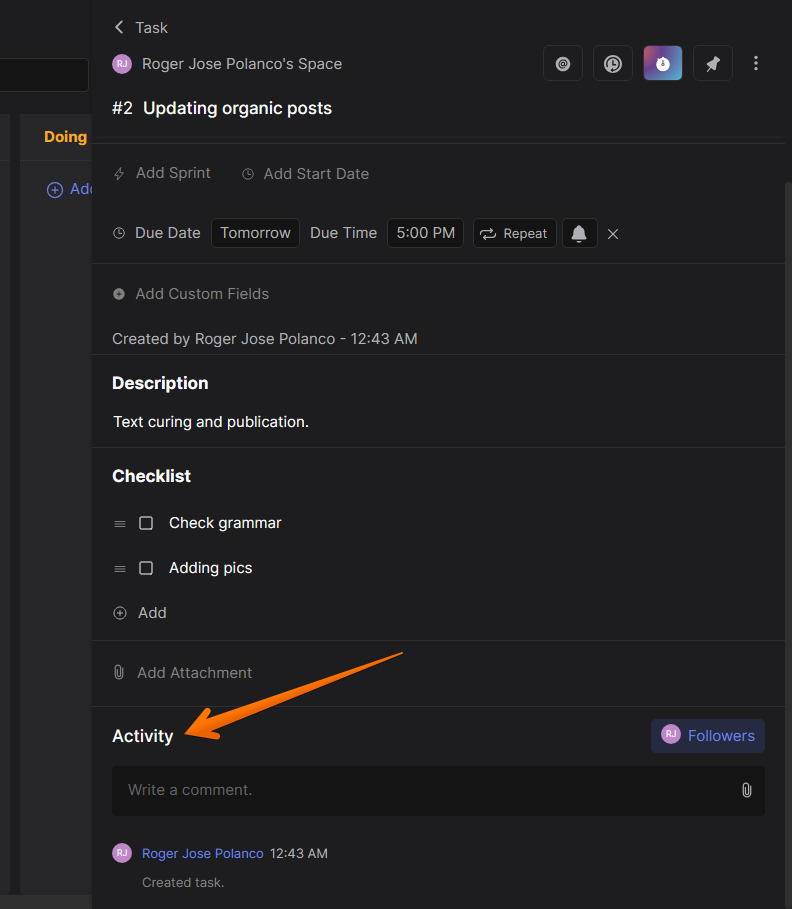
Once there, you can leave your comment in the corresponding box.
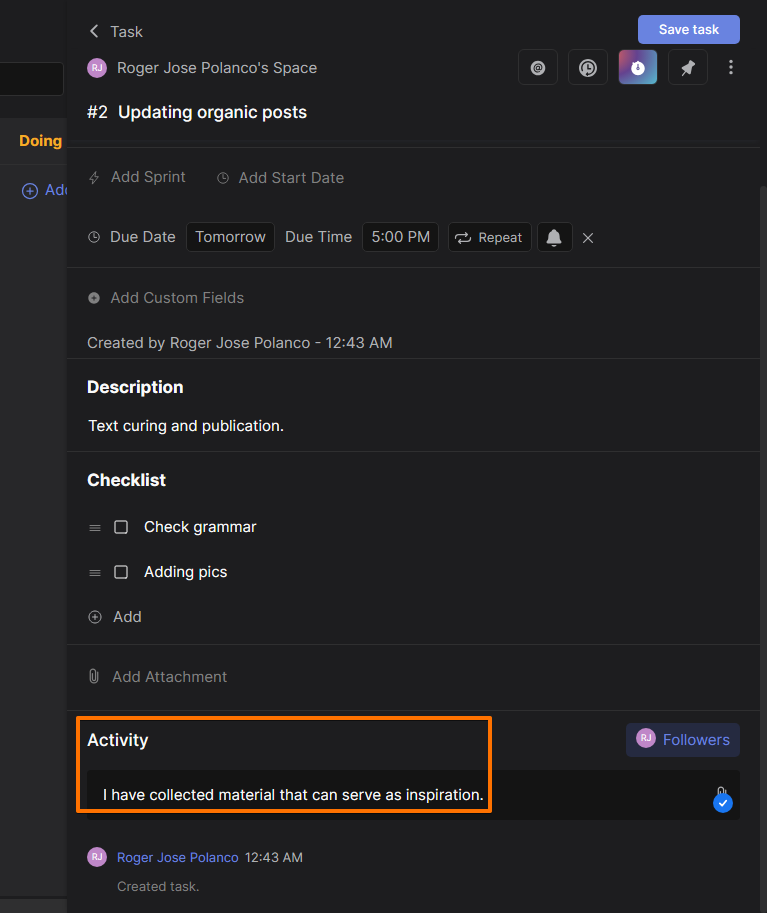
After finishing the comment, you can update the status of the assigned task.
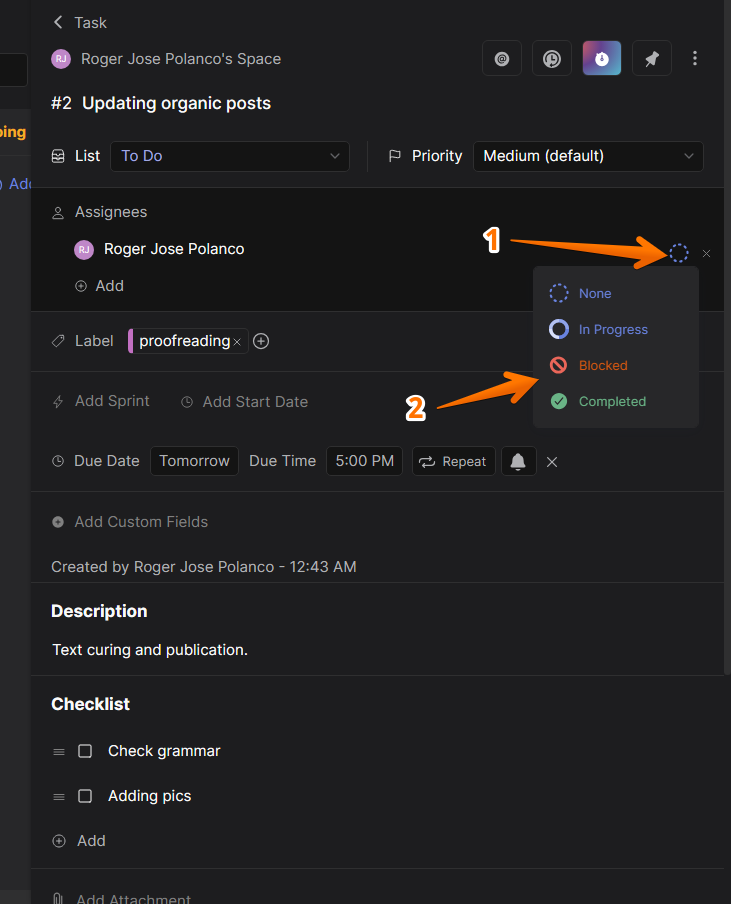
Additionally, you can attach a document to complement the comment or activity you added. To do so, just click on the paperclip symbol.
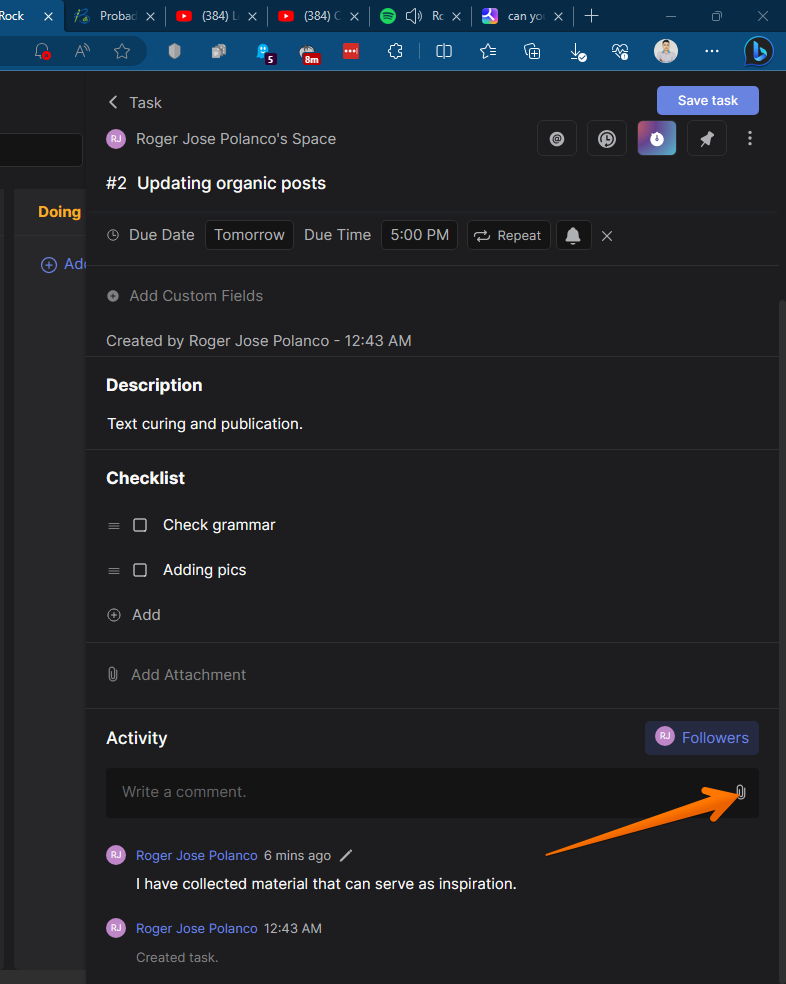
Comments will be added in order as contributors write them.
Conclusion
Overall, Rock's task management features are powerful and versatile. They can help teams collaborate on projects, stay organized, and meet deadlines. Here are some of the pros and cons of Rock:
Pros:
- All-in-one platform for messaging, tasks, notes, and file storage
- Unlimited messages, tasks, and notes
- Integrations with a variety of other apps
- Freemium pricing
Cons:
- Can be complex to set up and use
- Not as feature-rich as some other messaging apps
- Limited file storage in the free plan