Price tables in PandaDoc are a great way to showcase your products or services and their associated prices. They are easy to create and customize, and you can use them in a variety of documents, such as proposals, quotes, and contracts.
How to create pricing tables with PandaDoc
To enjoy this great functionality, we have to go to the PandaDoc Dashboard. Once there, from the side menu, please scroll down to the Templates section.
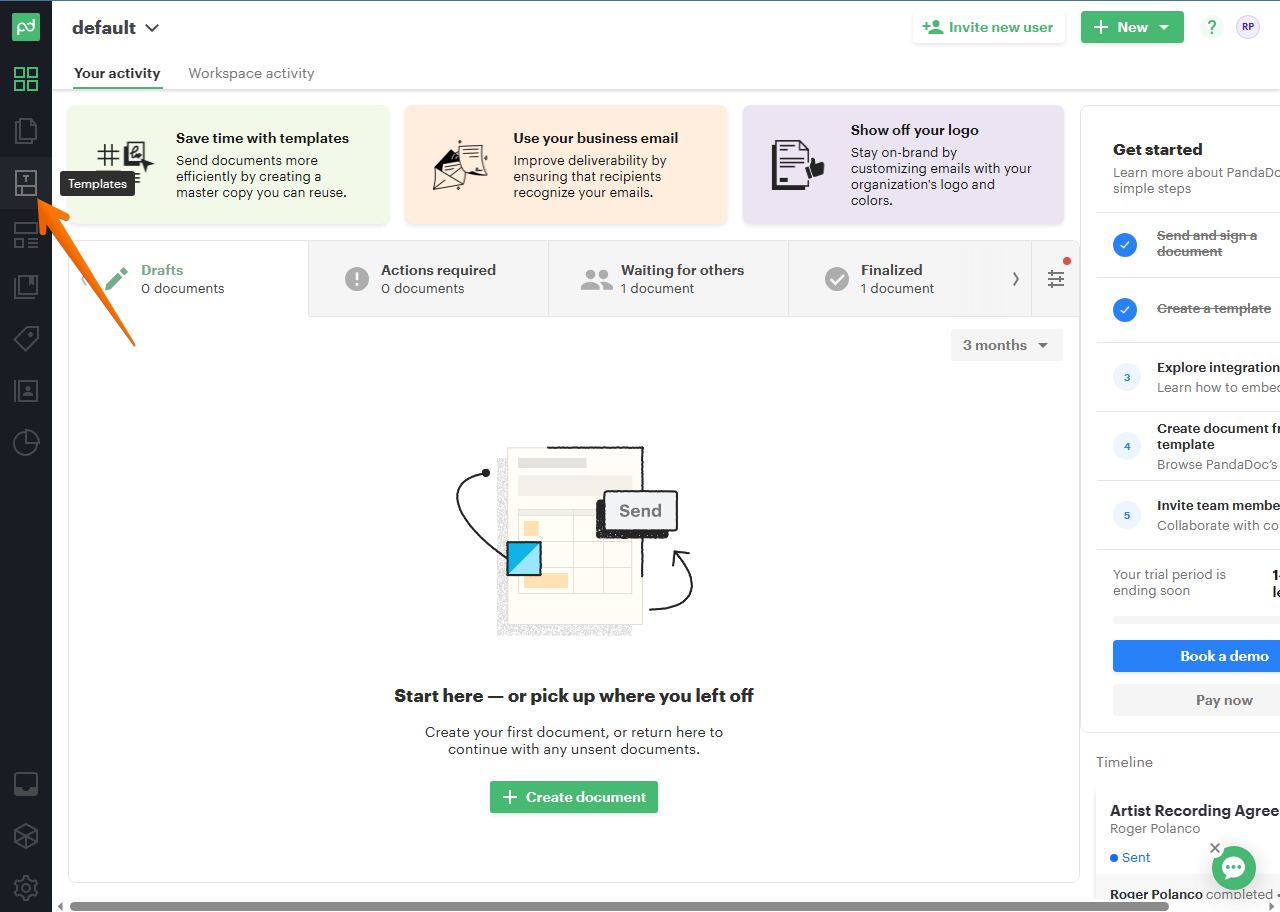
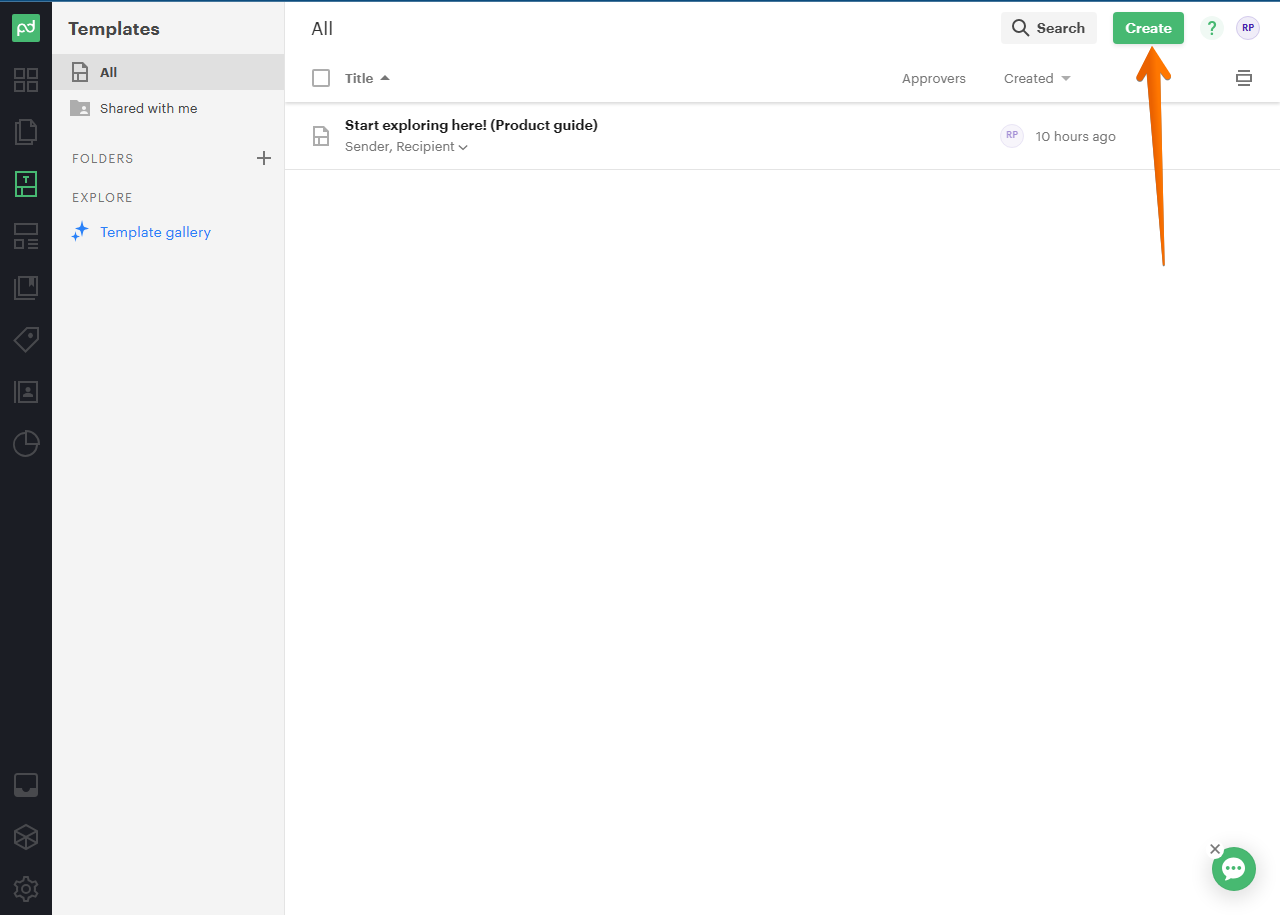
Consequently, you will be redirected to the Templates menu. Once there, click on Create..
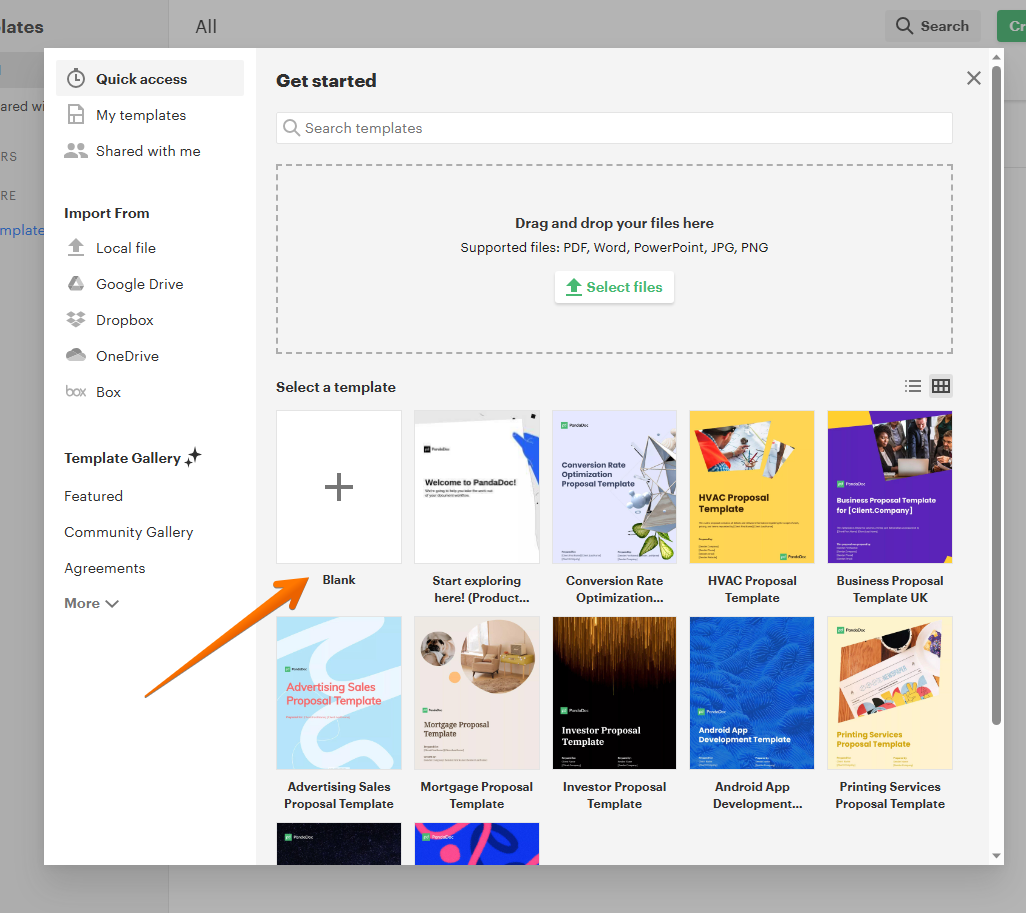
In this menu, you can load an acrylic or select a version of the templates from the toolbox. However, let's click on Blankdocument.
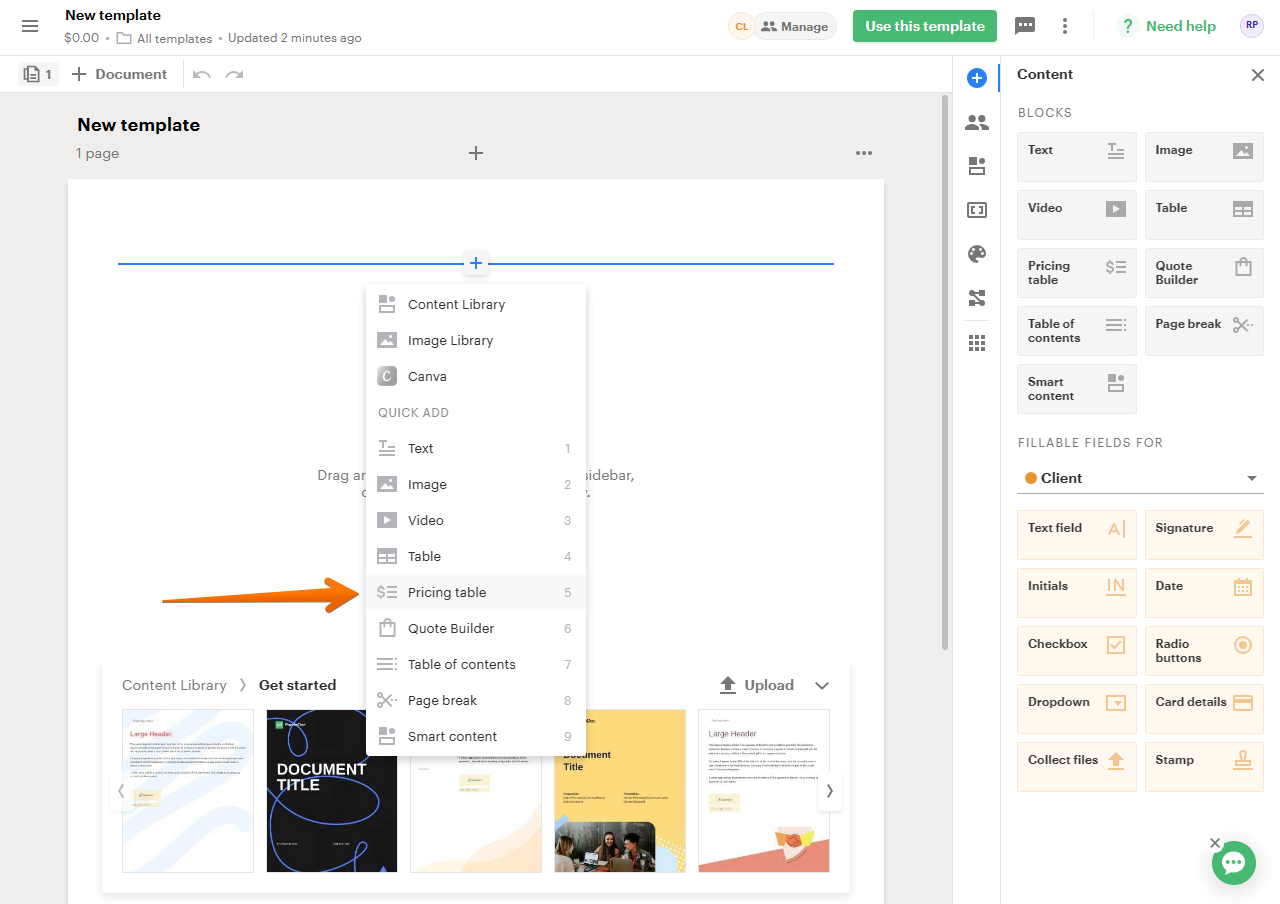
Next, you have to scroll down in the document and click on the plus symbol with the blue line.
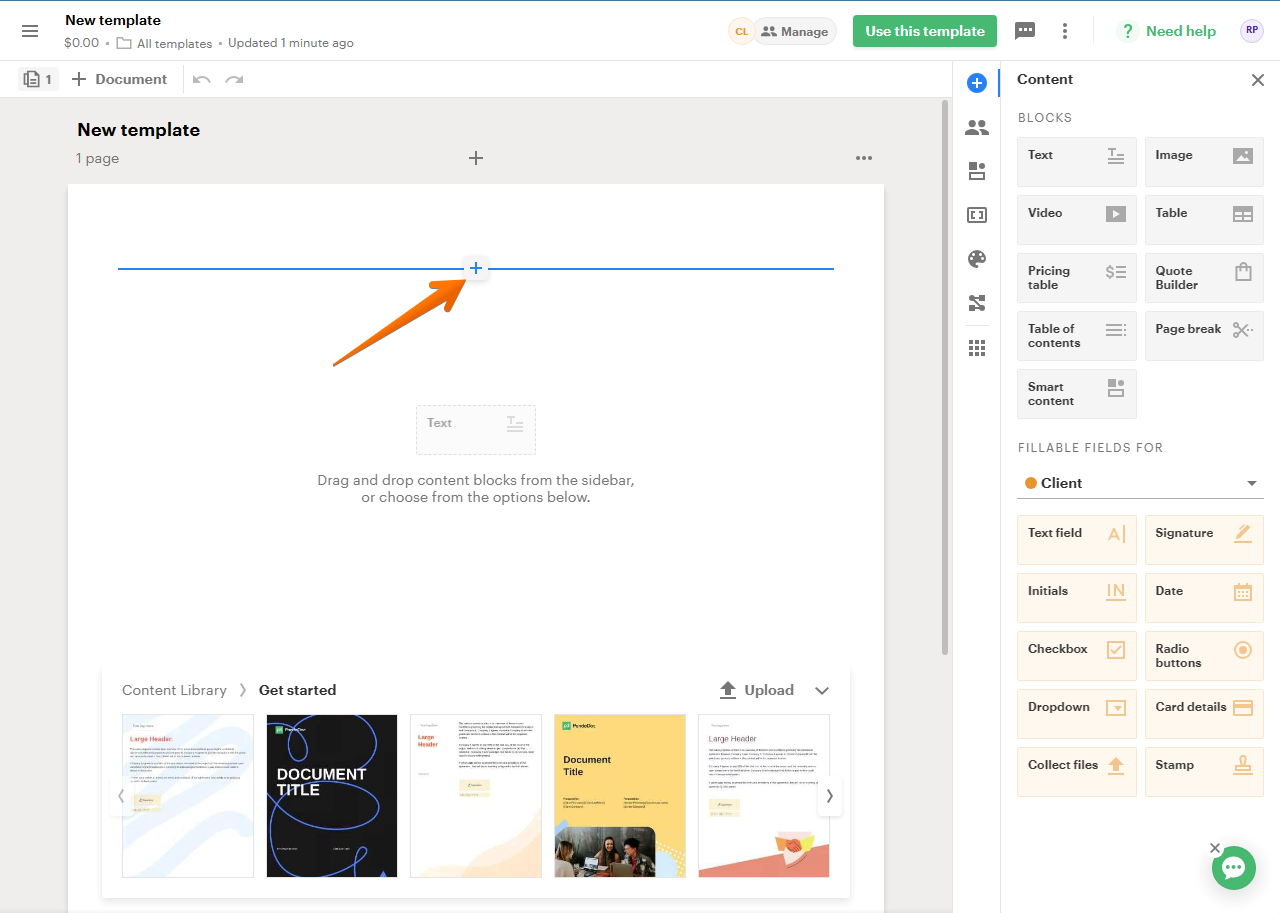
As a result, several options are displayed. You have to select Pricing table.
And that's it! You will immediately see a Pricing table ready to be filled with the data you want. Furthermore, you can modify price, quantity, subtotal, taxes.
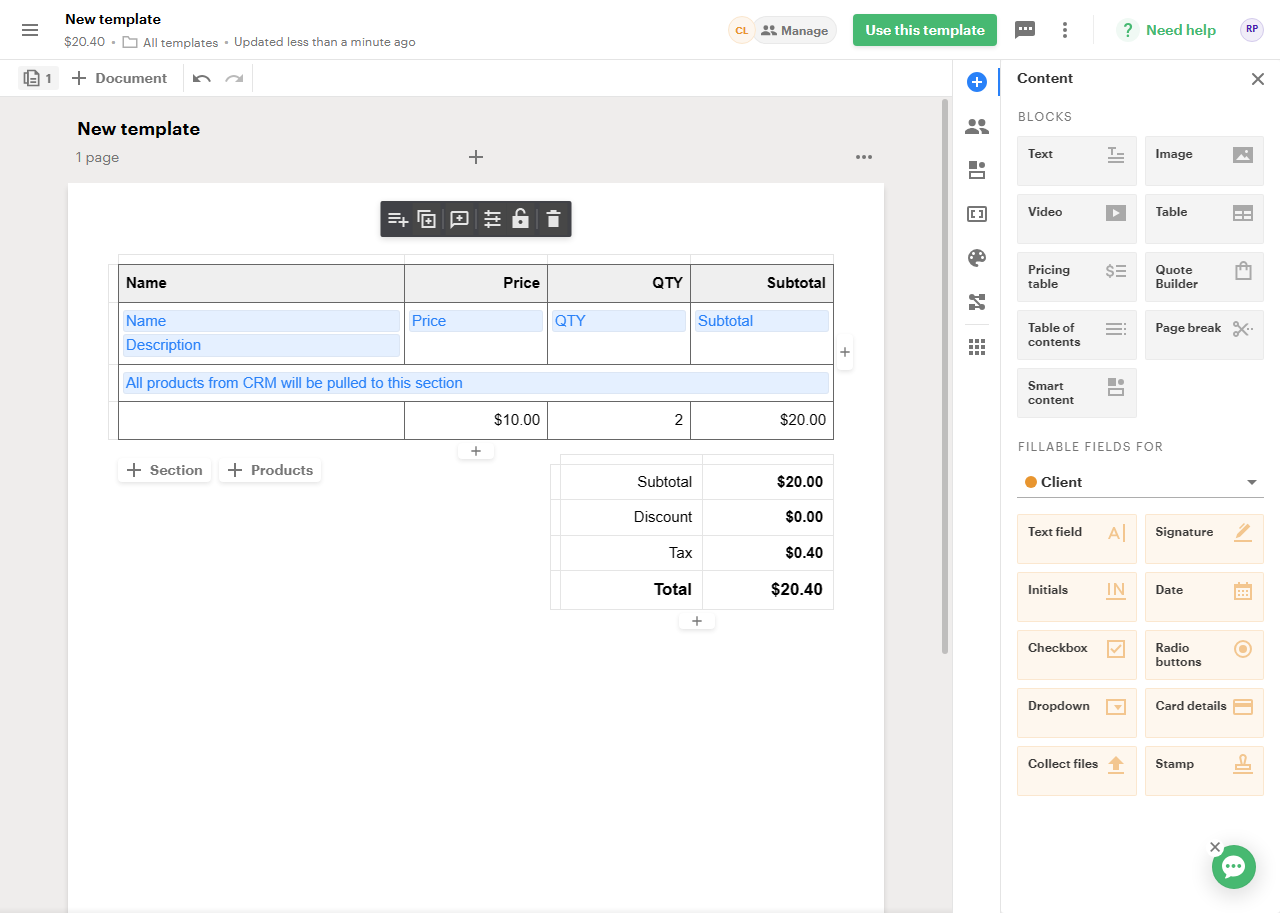
In addition, the beauty of PandaDoc is that these templates can be sent, and collaboration parameters can be established. What does this mean? That it is possible to modify parameters of price, quantity, without having to make a new table and having to resend it to the customer.
Tips on how to get the most out of this functionality.
Here are some additional tips for using price tables in PandaDoc:
- Use clear and concise language.
- Use consistent formatting throughout your price table.
- Make sure the prices are accurate.
- Use images or icons to break up the text and make your price table more visually appealing.
- Use price tables in conjunction with other document elements, such as text, images, and charts, to create a more comprehensive and persuasive document.