Axonator is a no-code, mobile-first field workflow automation platform that helps organizations automate and optimize field performance, improve customer service, and scale operations. It is a powerful tool in the arsenal of mobile app builders. Using a document designer, app builders can design document templates that reflect their preferred presentation and layout of data using drag and drop. You can brand your document according to your company’s branding guidelines or to look professional.
Elevate Your Workflow Management with Axonator's No-Code Platform
Axonator workflow optimization is a feature of the Axonator platform that allows you to automate your business processes. This can help you to improve efficiency, reduce errors, and save time. To use Axonator workflow optimization, you first need to create a workflow. A workflow is a series of steps that need to be taken in order to complete a task. Once you have created a workflow, you can then assign tasks to users and set up triggers. Triggers are events that will cause the workflow to start or advance to the next step.
For example, you could create a workflow for the process of approving a purchase order. The workflow might start when a new purchase order is submitted. The first step in the workflow might be to assign the purchase order to a manager for approval. If the manager approves the purchase order, the workflow would then advance to the next step, which might be to send the purchase order to the vendor.
Axonator workflow optimization can be used to automate a wide variety of business processes. Some common examples include:
- Approval processes: Axonator can be used to automate the approval of documents, such as purchase orders, expense reports, and leave requests.
- Sales and marketing processes: Axonator can be used to automate the sales and marketing process, such as lead generation, nurturing, and follow-up.
- Customer support processes: Axonator can be used to automate the customer support process, such as ticket management and resolution.
- HR processes: Axonator can be used to automate HR processes, such as onboarding, performance reviews, and compensation management.
Without further ado, let's see how to organize the Workflow with Axonator. It is a fast and efficient procedure that will be done from the same app. The first thing we have to do is to create the Workflow. With this intention, we will click on Create Workflow. Then we will set a name and the form we will use. Look at the images below.
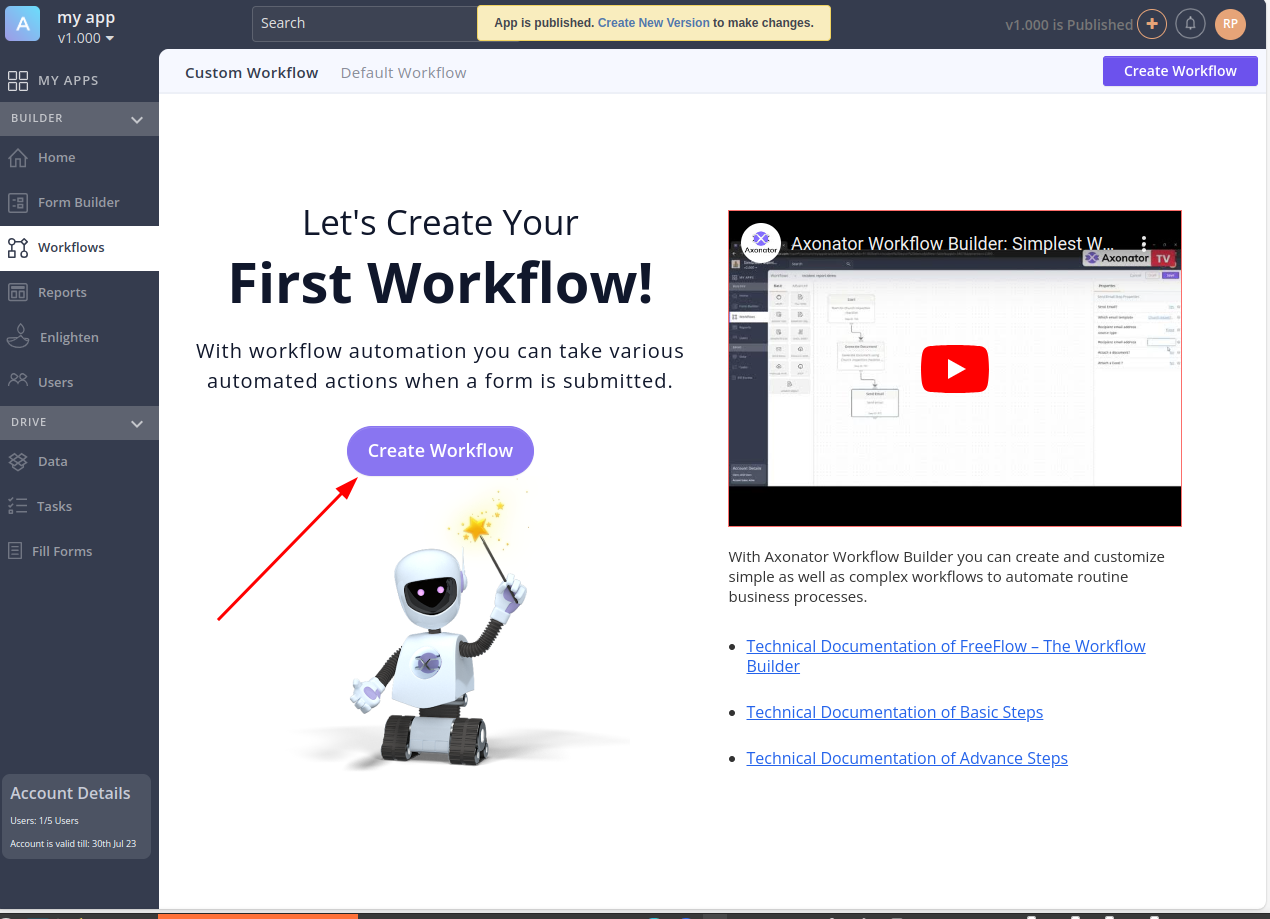
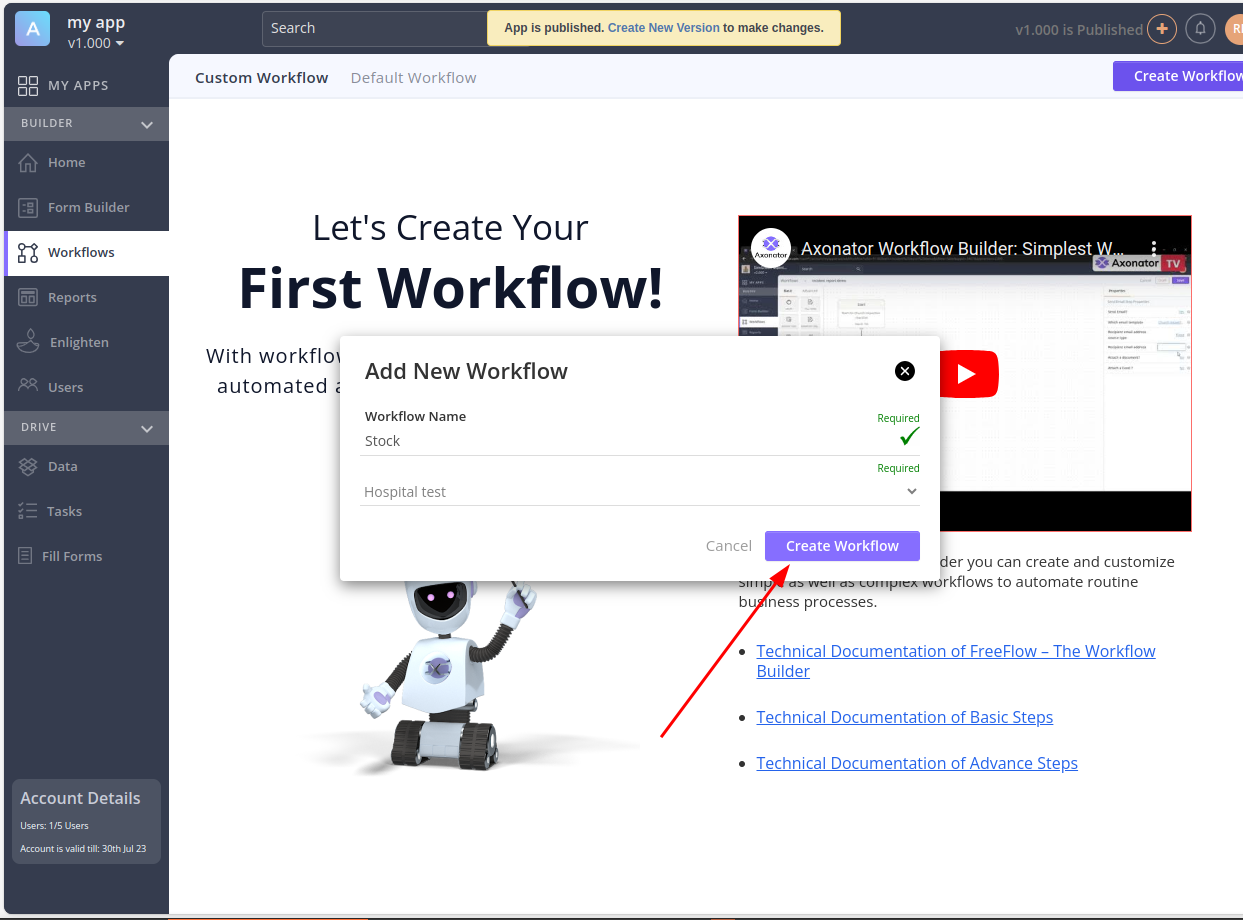
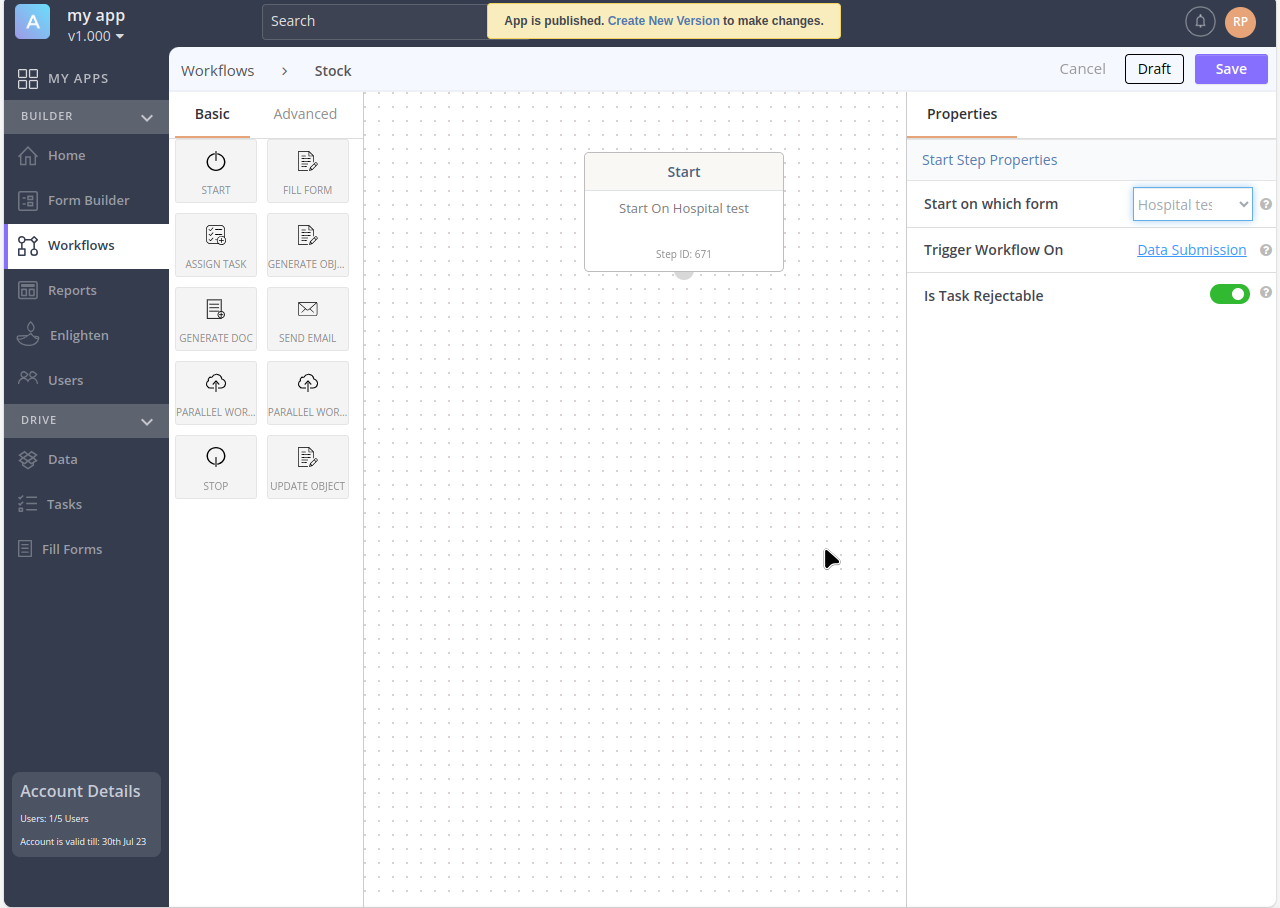
Next we will see the Dashboard with the available options in the menu on the left. Of course, we will start from the beginning. What we will do is click on Start, then drag it to the area where we want it to be located.

Then you have to go to the menu on the right. There you will find the properties of the element you just created. Then click on the empty text and select the name of the App.
Then we can select another item, let's say Generate doc. Therefore, we repeat the same procedure: select and drag.
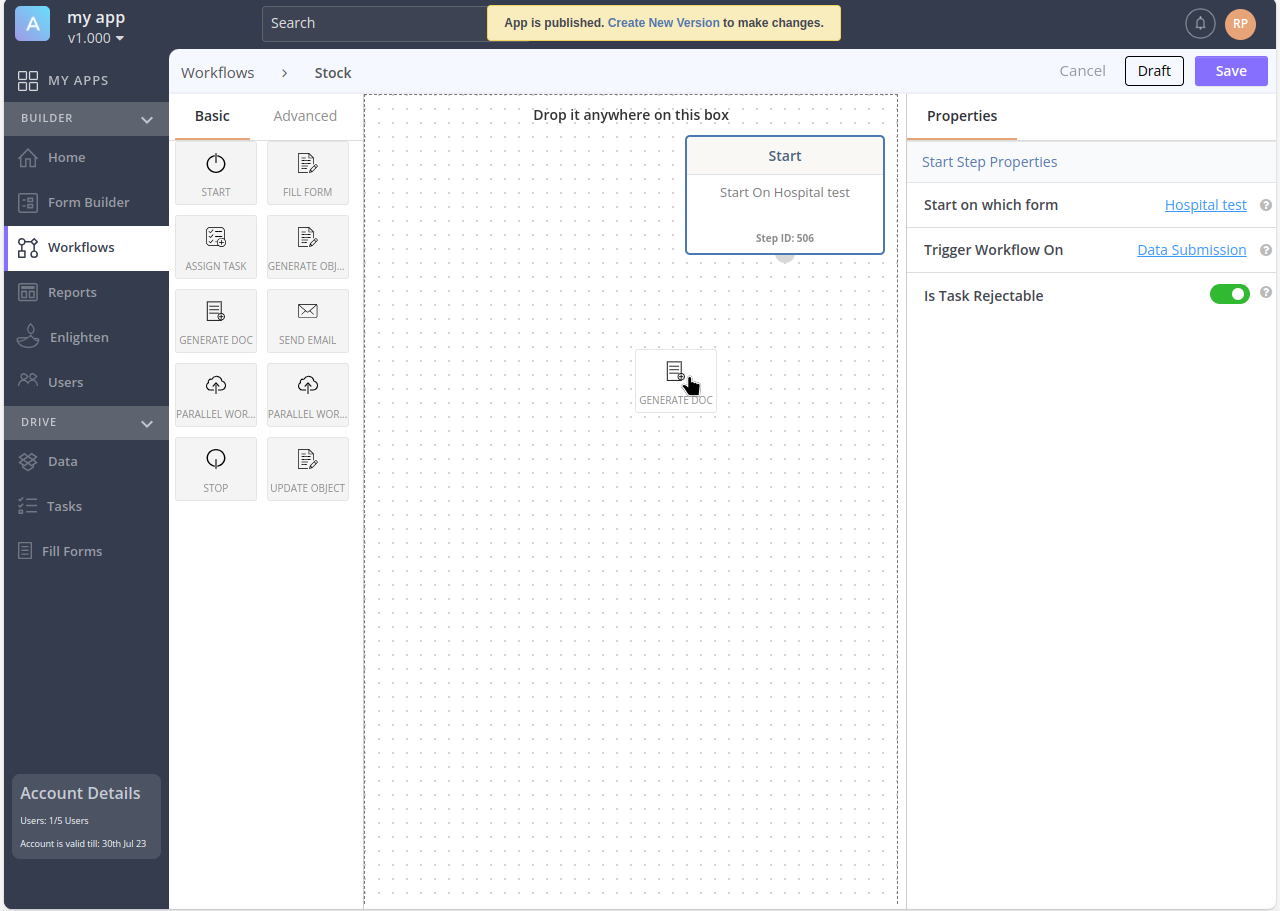
Once the two elements are in place, what we will do is to link them. With this in mind, we will click on the semicircle that protrudes from any of the two elements. Once the two elements are in place, what we will do is to link them. With this in mind, we will click on the semicircle that protrudes from any of the two elements. Keep the click pressed and drag it to the second element. You will see that an arrow is generated that will end its path on the selected element. Please look at the following image:
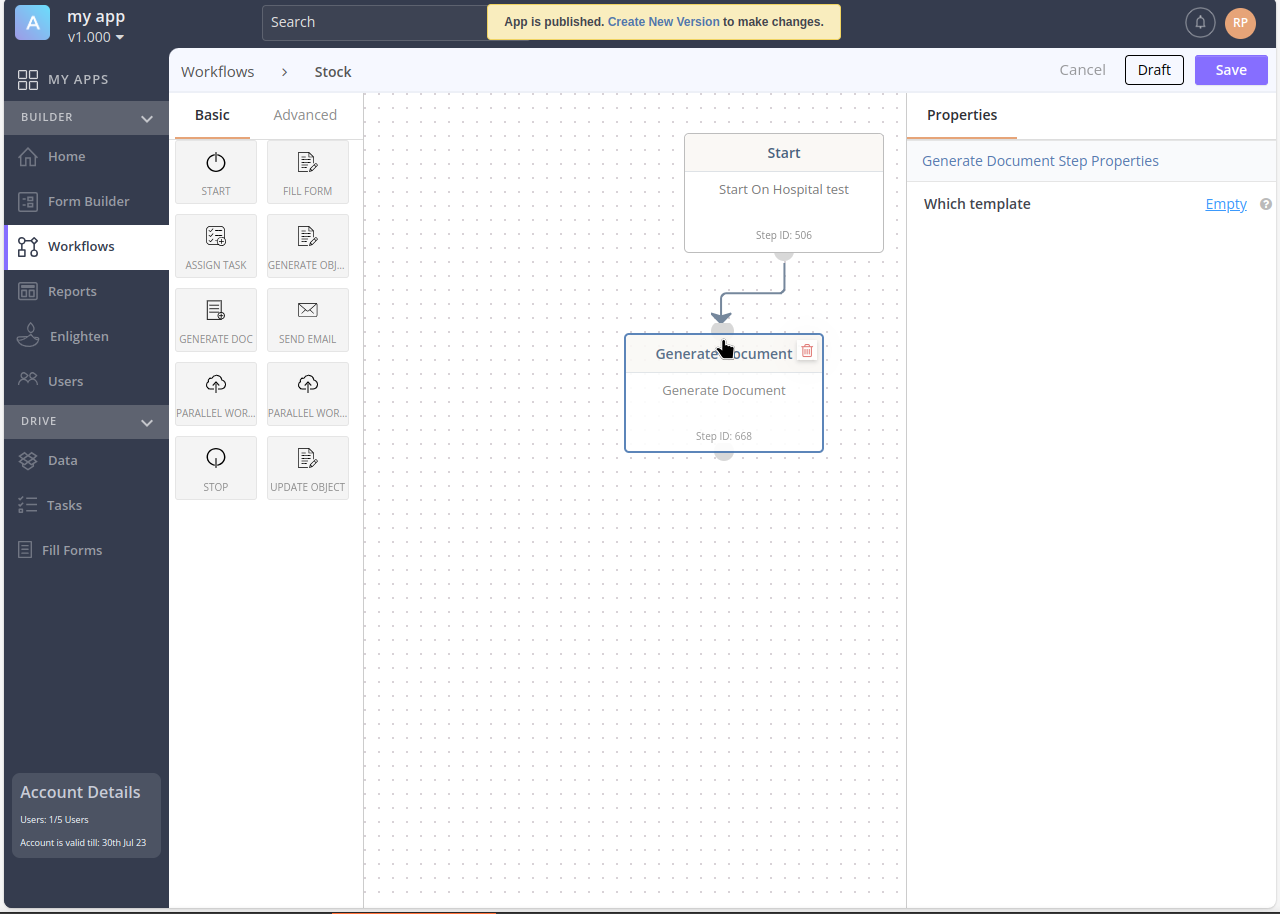
Again, remember to go to the properties menu and add which template you want to assign.
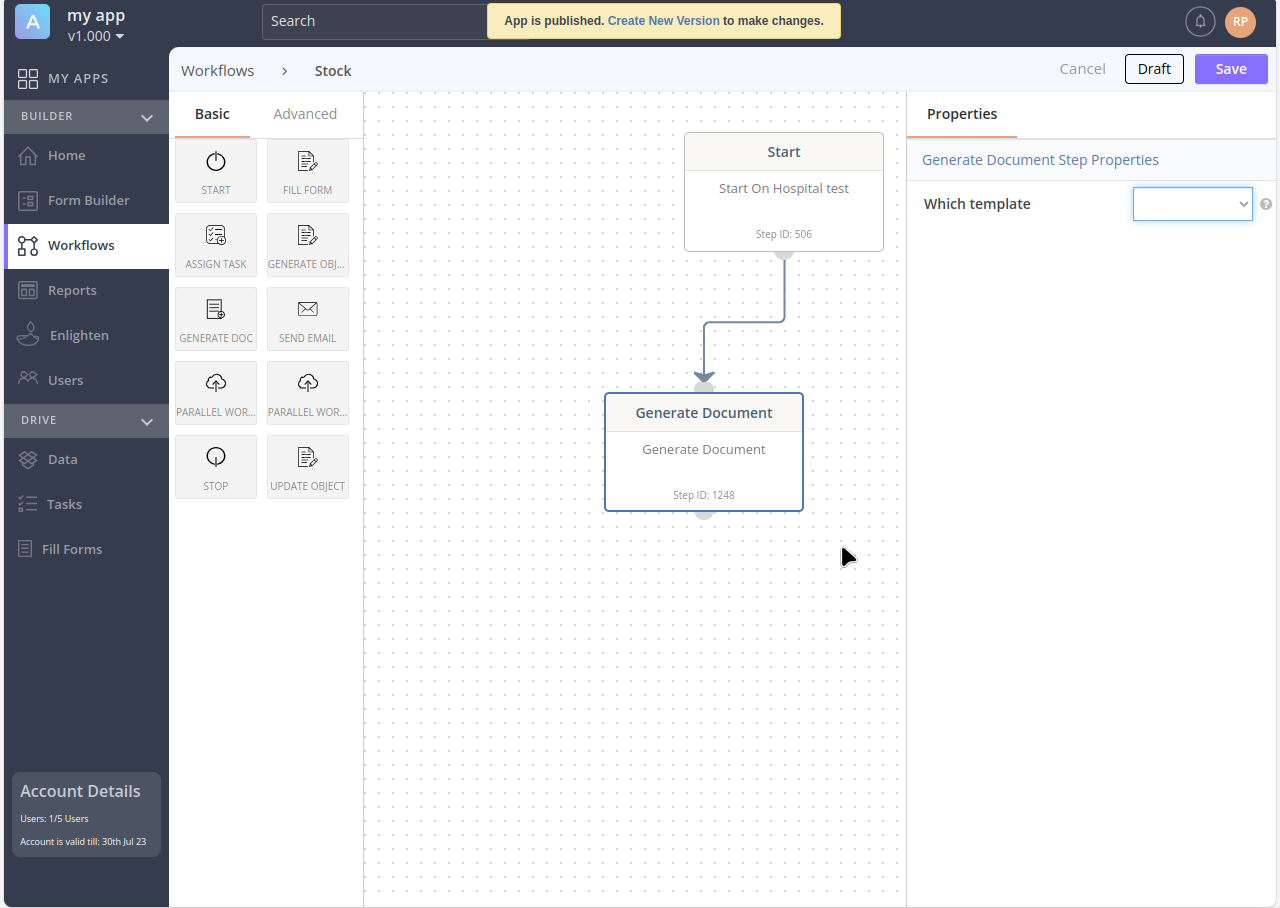
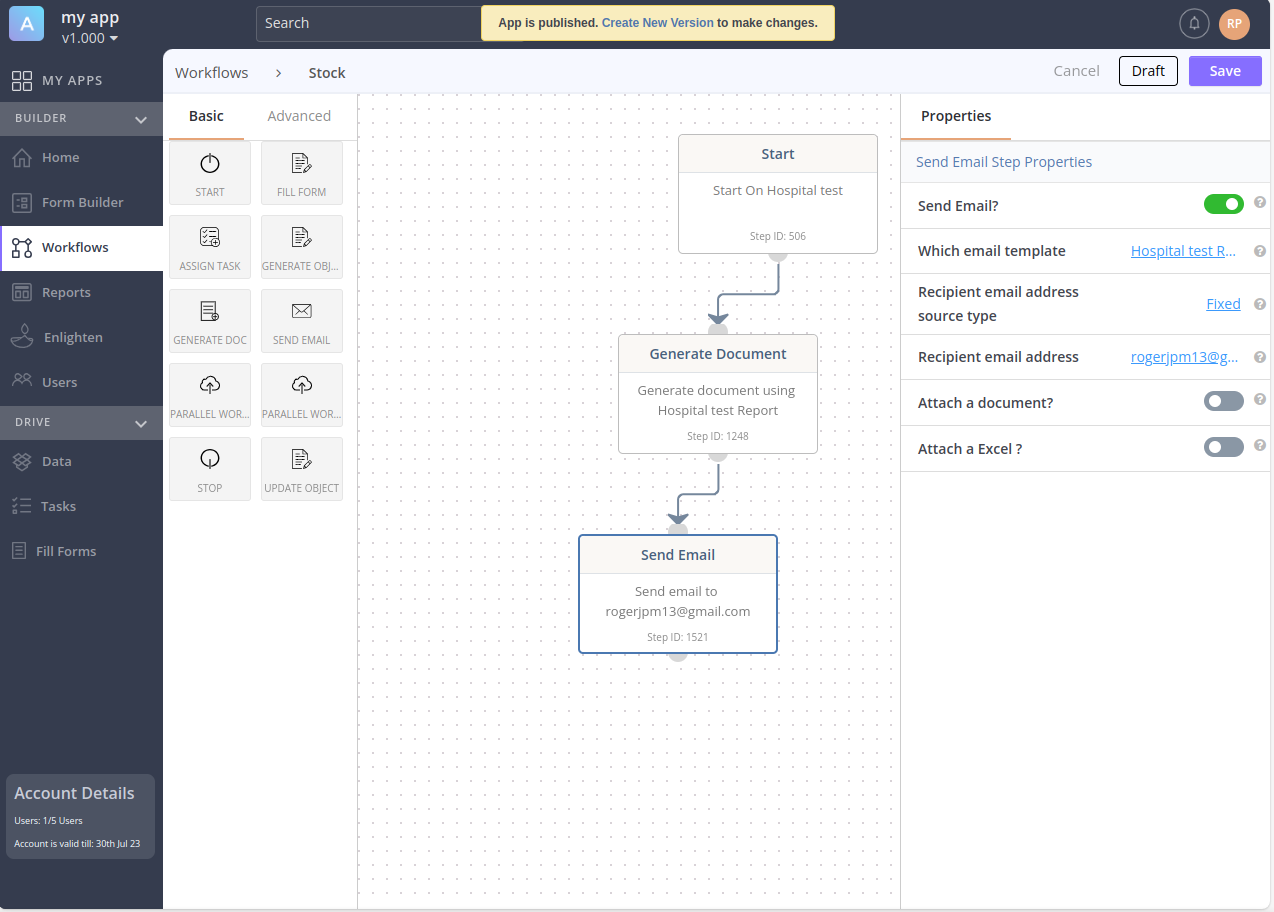
You can repeat the procedure with different elements. For example, Send email. This element is very interesting because you can set the template, the recipient of the email, if you are going to attach a file, etc.
When you are done, please click on Stop to add it. Finally, click on Save.
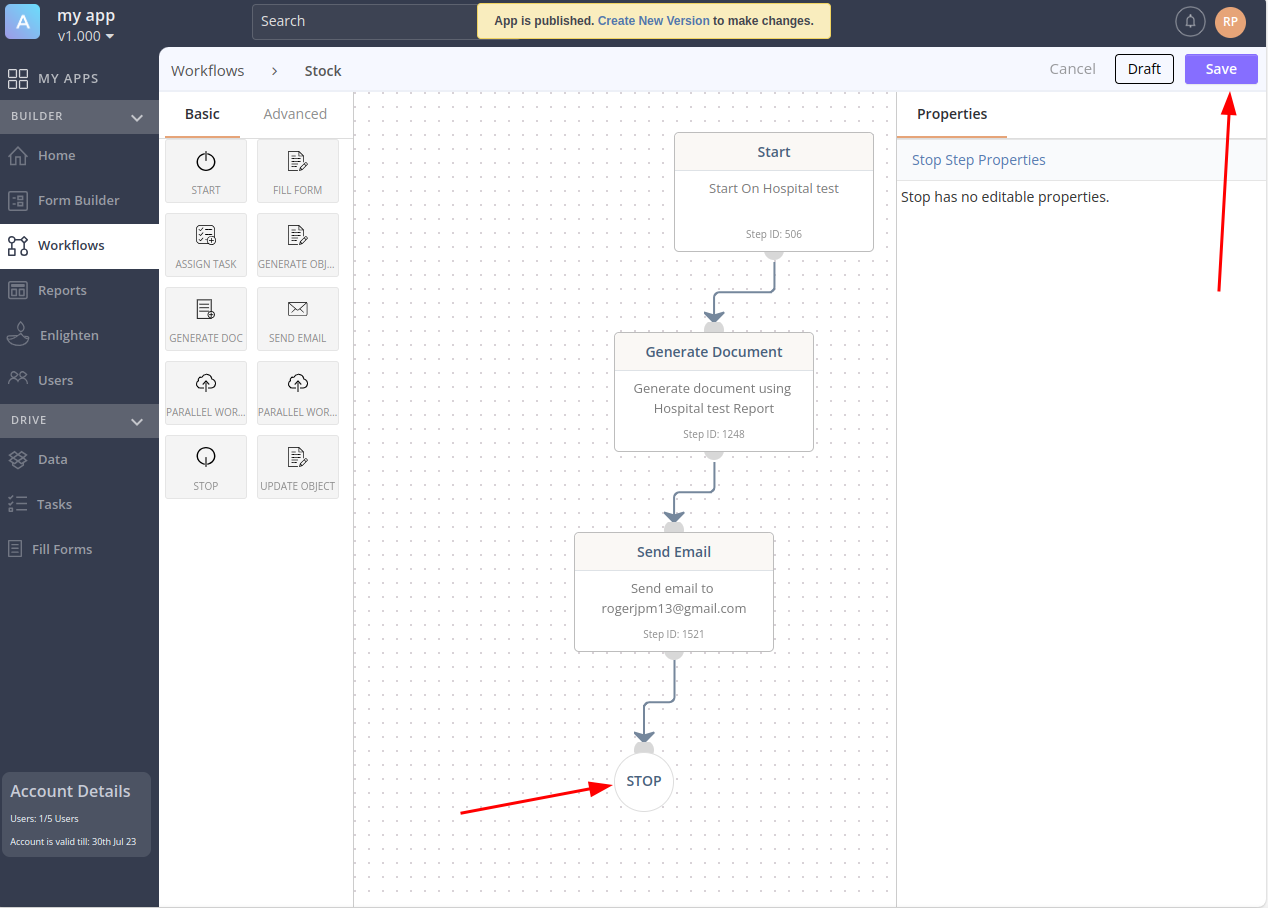
And in this way we have learned how to manage the workflow with Axonator.