We all make mistakes, but when it comes to emails, they can be especially costly. Whether you accidentally sent an email with the wrong attachment or forgot to cc someone important on a message, these types of missteps can have serious consequences for your professional reputation. Thankfully, there is now a solution that makes undoing email mistakes easy: Spike.
How can you use Spike to unsend an email?
Spike is an AI-powered email platform that helps users quickly and easily fix their errors before anyone notices them. With just one click of the “Undo” button in Spike’s user interface (UI), users are able to retract any messages they regret sending out or edit any typos before recipients open them up – saving time and embarrassment! Plus, Spike also provides helpful tips on how to avoid making similar mistakes in the future, so you don't end up repeating yourself over again!
Let's see the steps to unsending an email with Spike.
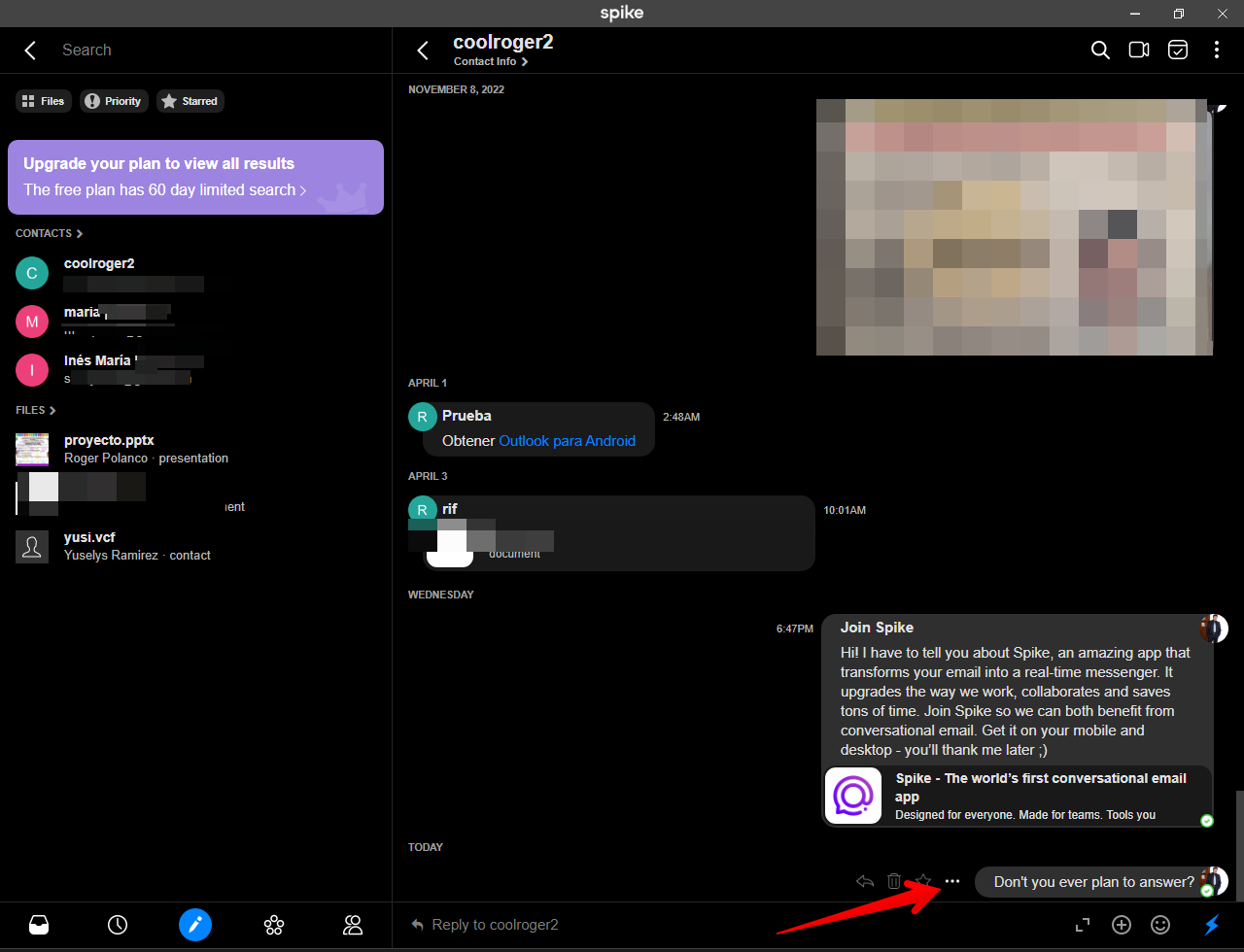
As mentioned, undoing the sending of an email is a feature included in Spike mail. Besides, it can save you some time and aggravation. Particularly if you have sent a message by mistake. It is also very useful if you have forgotten to attach an important file. Or you've simply got caught up in some way with the email you sent. The first thing you need to know is that the operation of this feature has a time limit. In fact, you have a time limit of 10 seconds to send a message. Let's see how it works. Suppose you have just sent a message and for some reason you regret sending it. So, from the conversation view, you have to click on the 3 dots next to the message.
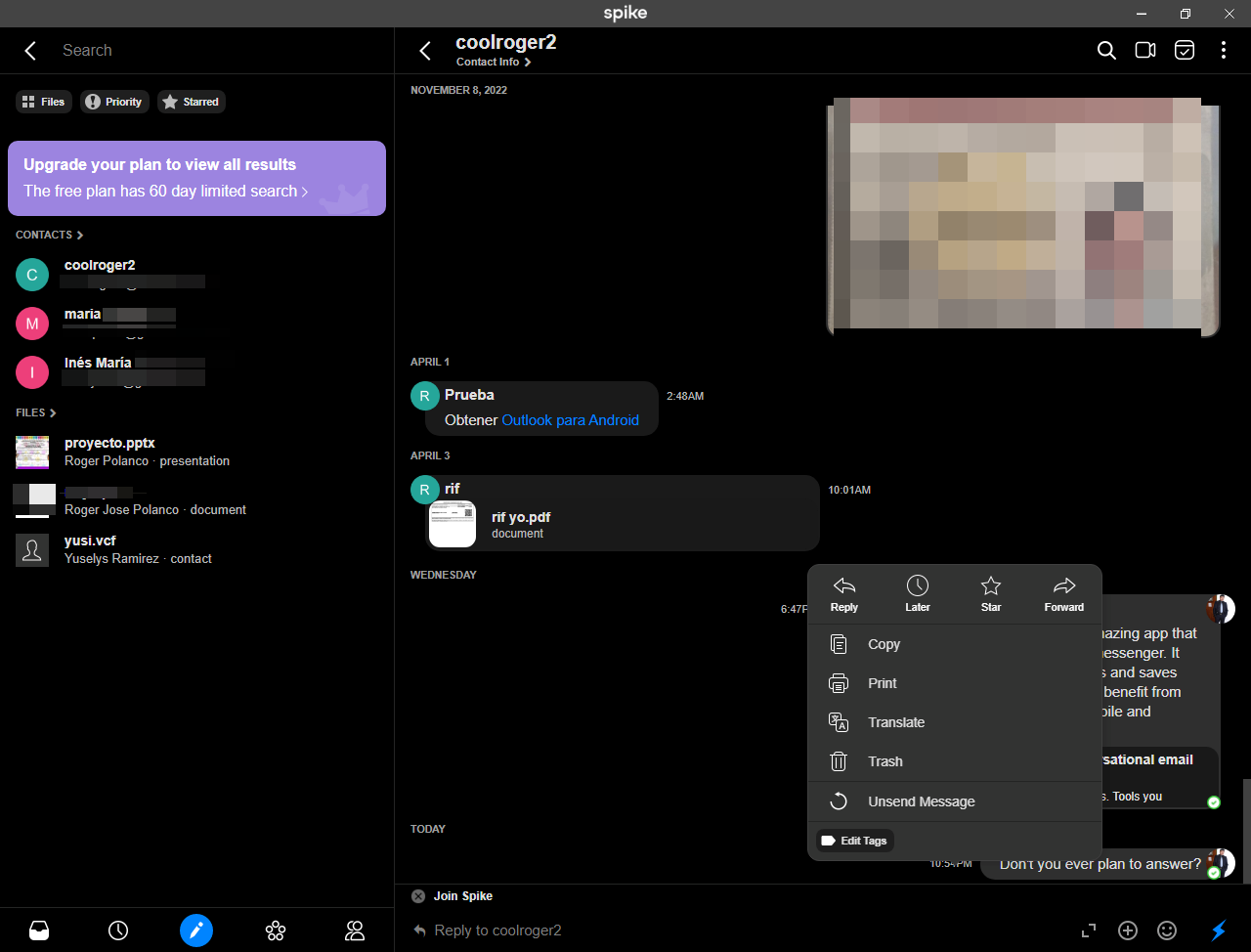
A floating menu will be displayed immediately. In that menu, scroll to the bottom and select the Unsend message option.
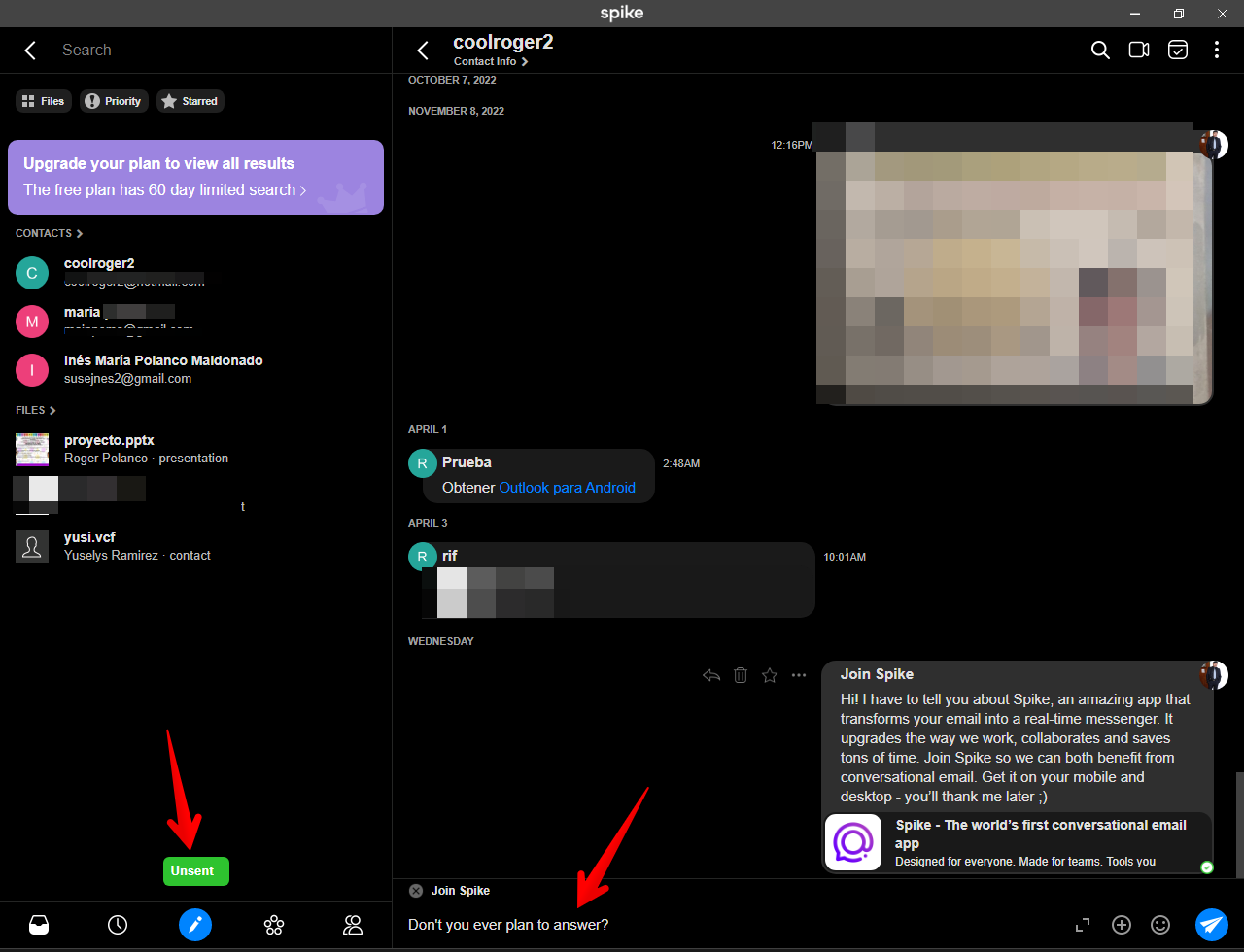
If you did everything correctly, you will see a confirmation message on the left side. In addition, the text of the deleted message appears again in the text box.
How to unsend a message using keyboard shortcuts.
It is also possible to use a keyboard shortcut to unsend a message. Particularly if you are using the web or desktop application. With this in mind, from Windows, press the combination Ctrl+Shift+Z. If you are using a mac, then the combination to use will be Cmd+Shift+Z. Keep in mind that this must be done within the 10-second time limit.
Conclusion
In conclusion, email is a vital part of our daily communication, and we've all experienced the panic of realizing we've sent an email we shouldn't have. Fortunately, with the Spike email app, undoing those mistakes has never been easier. Whether it's recalling an email, editing its content, or simply postponing its delivery, Spike offers a wide range of features to help you undo email mistakes and avoid potential embarrassment or misunderstandings. With its user-friendly interface and intuitive design, Spike makes it easy for anyone to take control of their inbox and feel confident in their communication. By using Spike's undoing email mistakes feature, you can enjoy greater peace of mind knowing that you're always in control of your emails, no matter what happens.