TimeHero is a work management tool that helps teams plan and manage their work more efficiently. It is designed to help you schedule, manage, and automate work from daily tasks, projects, and calendar events — all in one place.
TimeHero uses AI-powered productivity to automatically plan daily tasks, projects, and recurring work. Unlike most other task apps that are due date driven only, TimeHero helps you manage and track everything you and your team need to do, and it also automatically plans when to work on tasks based on availability. If events change, tasks get completed early, or priorities change, TimeHero instantly and automatically adjusts everyone’s plan.
Maximizing Your Productivity with TimeHero: Creating Folders for Better Task Management
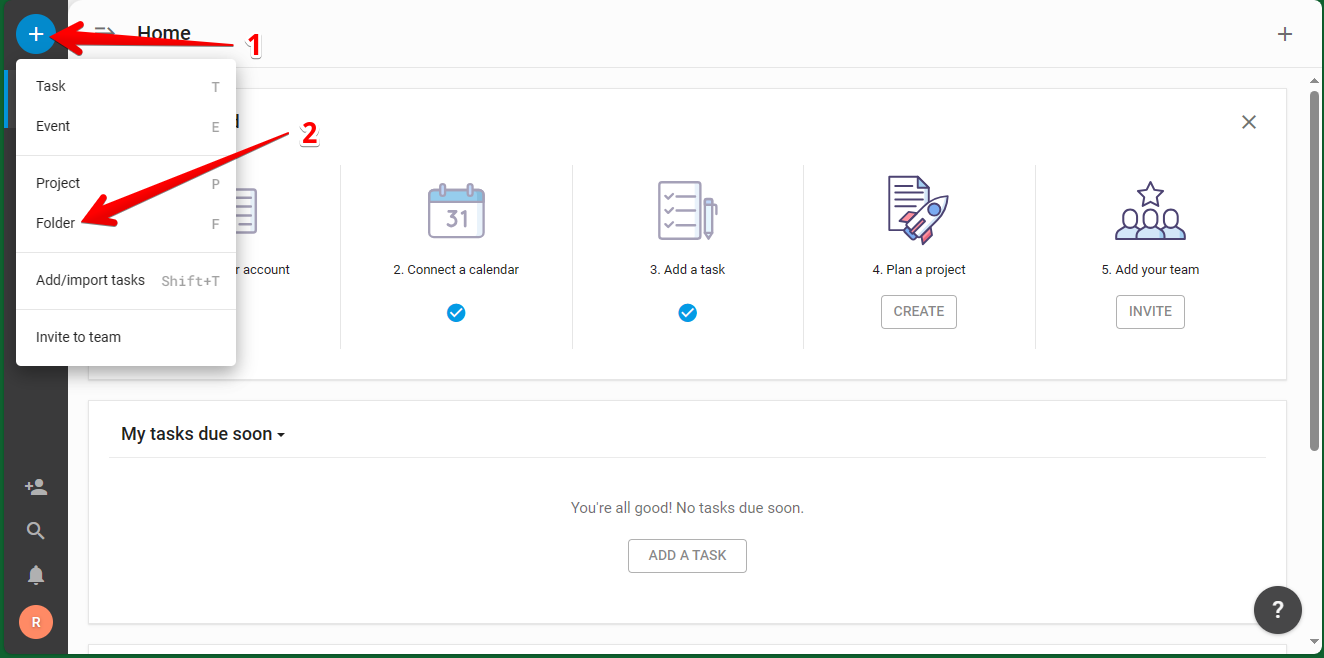
We are talking about a tool that aims to improve the productivity and workflow of its users. Consequently, it is logical that it offers multiple options to optimize information management. One of those options is the possibility of creating Folders for projects. Additionally, we can use these folders to conveniently group sets of tasks and projects. Let's see how to create it in a simple way. First, just go to the Dashboard of the platform. Once there, click on the + icon. As a result, a new menu will be displayed. Next, just click on Folder.
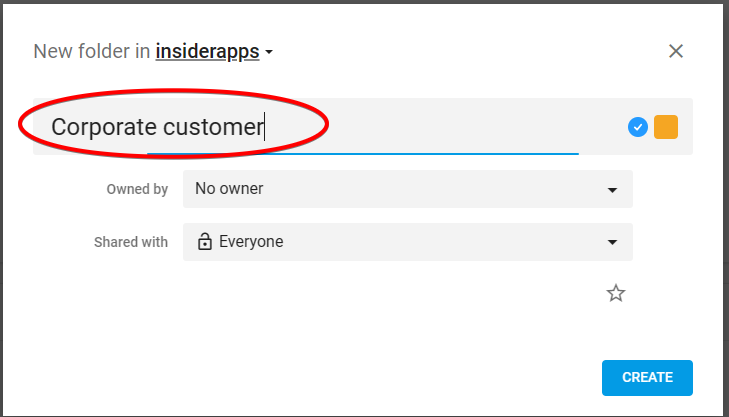
Consequently, a floating menu is displayed where we are going to customize the aspects related to the folder. Firstly, we will set a name.
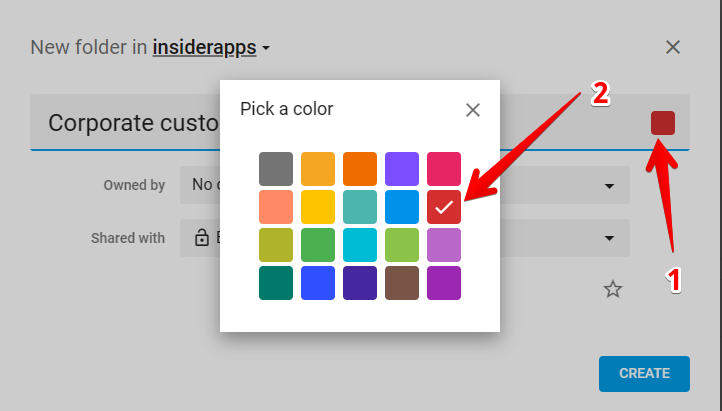
For maximum customization of the new folder, we can set a particular color for each one. To do this, simply click on the folder icon.
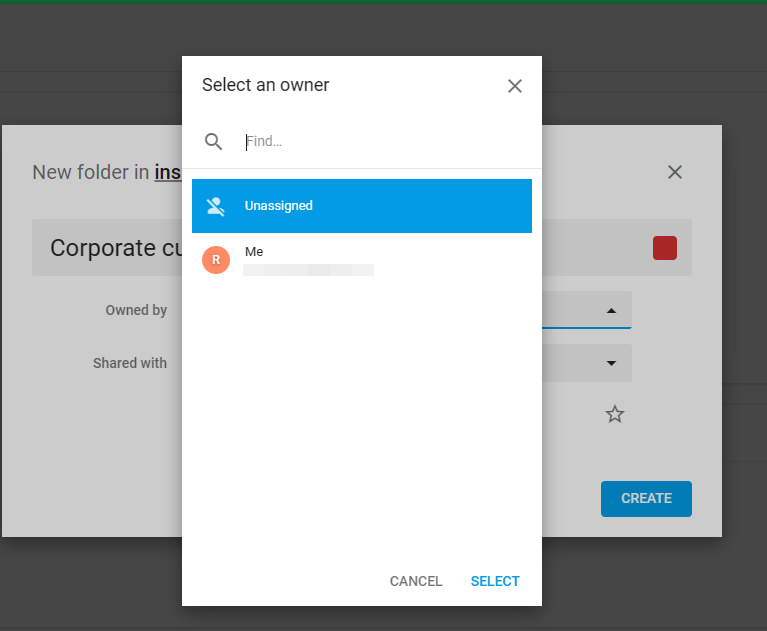
Another option that we can customize is to choose the owner of the folder.
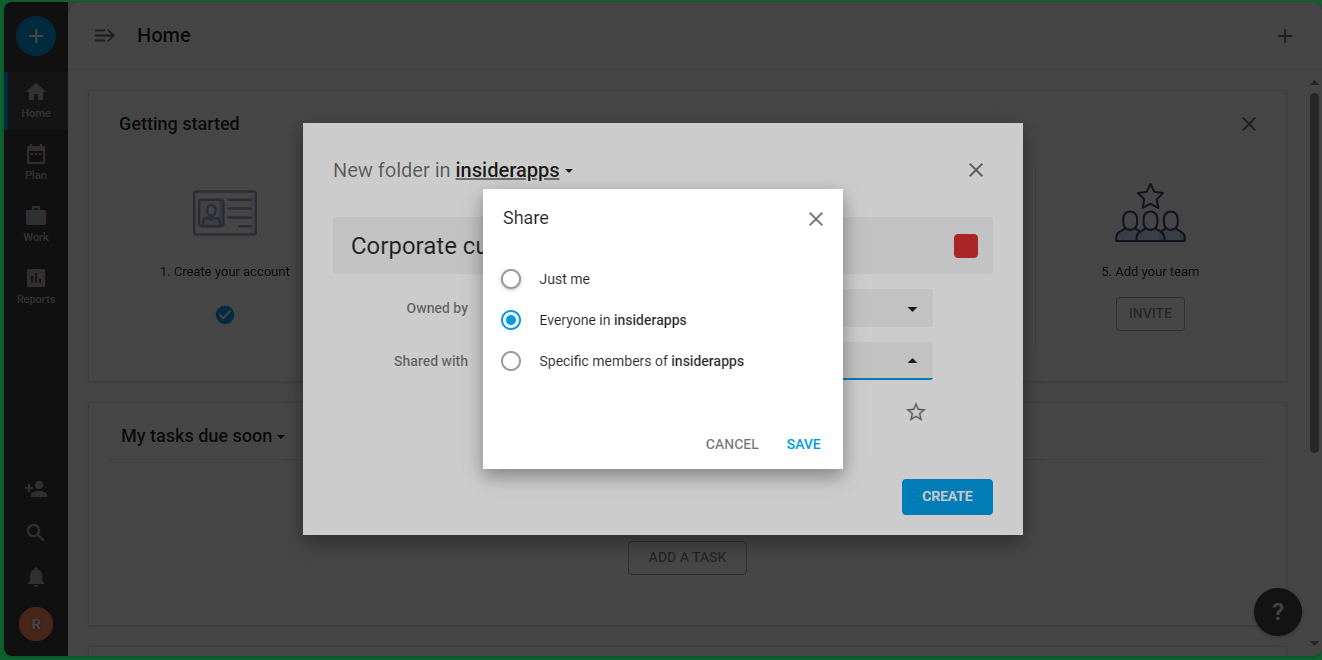
Finally, all that remains is to set the folder privacy options. That is, who can have access to it. The platform gives us the option to limit access only to the owner, to anyone in the company, or only to specific users within the company.
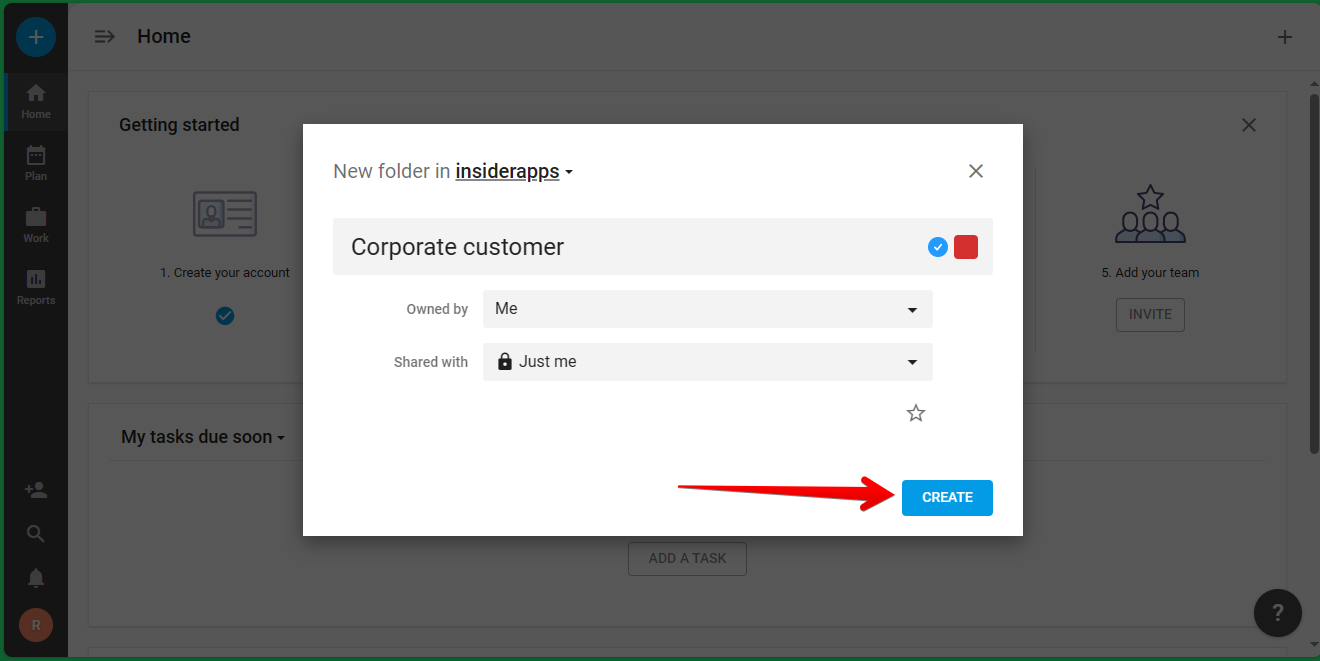
When you have set all the variables, just click on Create.
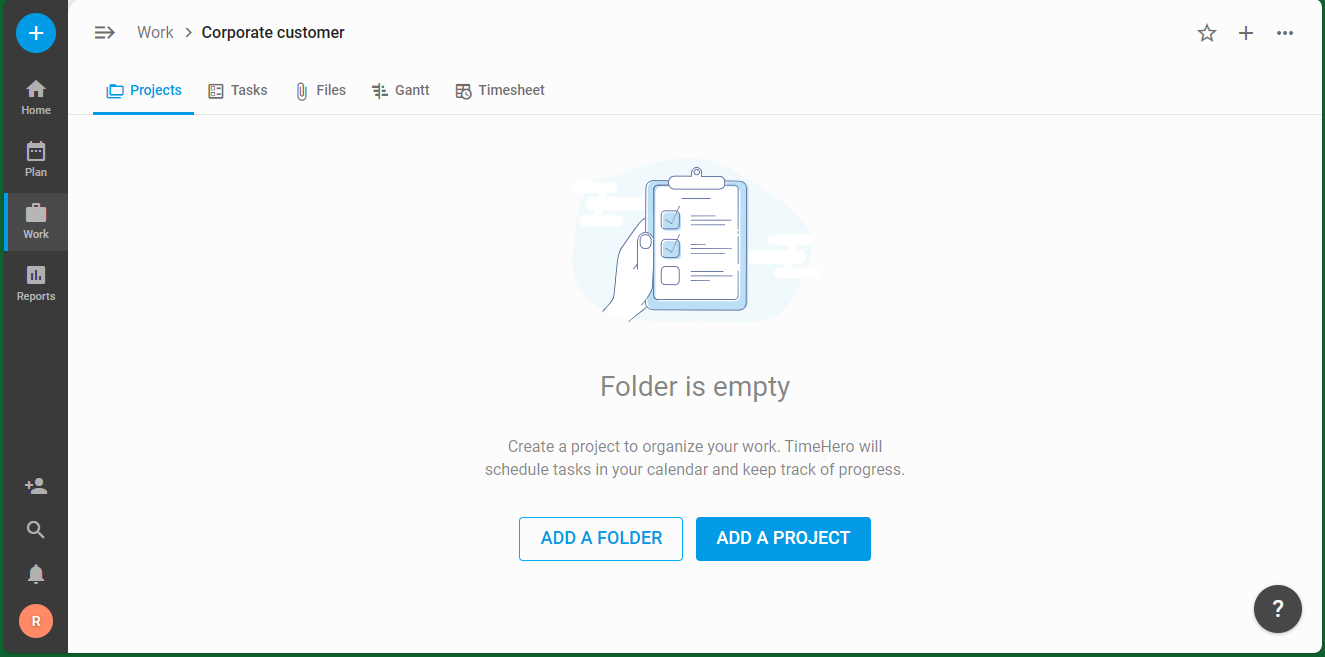
Finally, you will see the folder successfully created.
Some key features of TimeHero
- Autonomous recurring tasks that schedule themselves in a given timeframe.
- Reusable templates that feature task and event dependencies.
- Built-in time tracking that logs time when completed and updates timesheets.
- Automatic risk detection that alerts you if tasks get scheduled too close to their due date.
- Integration with tools from Google and Microsoft, so your team has a central location to automate and manage work.