Flipsnack is an online platform that allows you to create interactive flipbooks by transforming your PDFs into online flipping books. You can add videos, audio files, links, interactive photos as well as 3rd party content such as forms, house tours, shopping carts and more! You can also personalize your flipbooks with custom colors and your logo. Flipsnack is used by organizations all around the world to turn PDFs into engaging flipbooks, ready to be shared in an instant. Companies also use it as an internal communication tool to share documents in the most private way.
How to Add Notes to Your Flipsnacks for Better Collaboration and Communication
The note function in Flipsnack allows you to add comments to specific pages in your flipbooks. This can be helpful for leaving feedback, making suggestions, or simply jotting down your thoughts. Join us to learn how to use this useful feature. The first thing you need to do is to have created your flipbook. You can start from scratch or use one of the many templates available. Next, select a sheet or template to start with.

Next, all you have to do is click on the speech bubble.
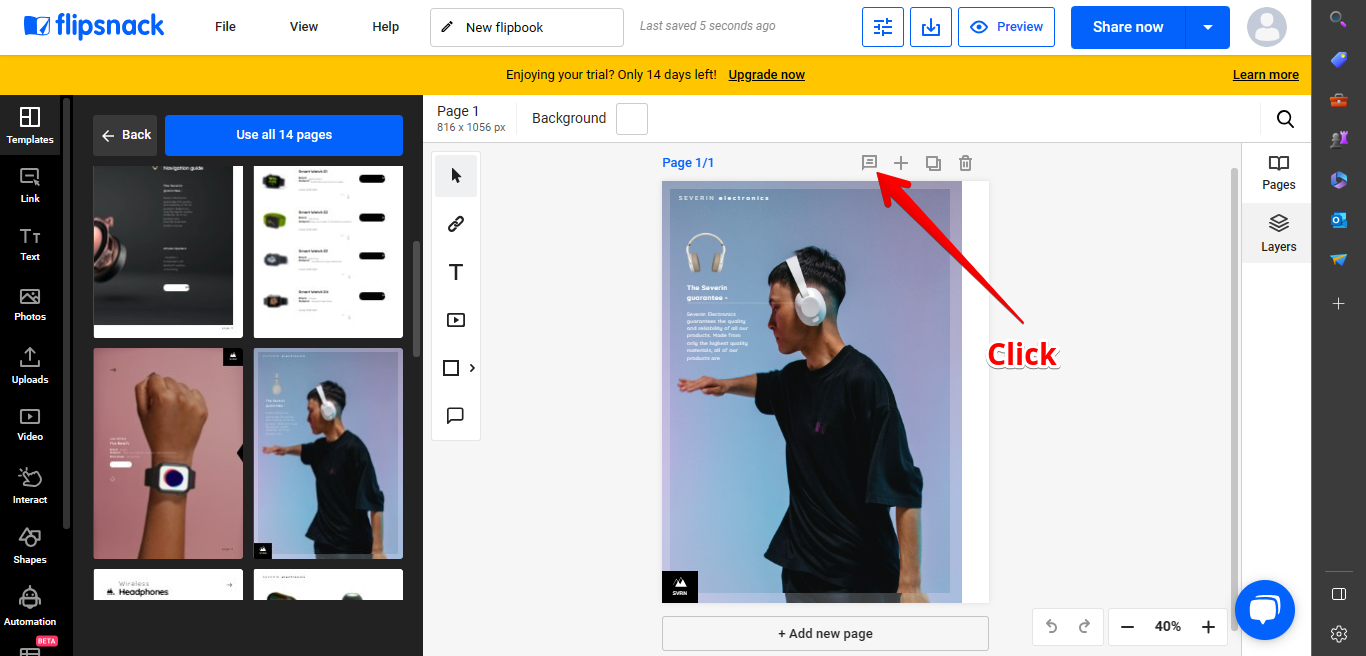
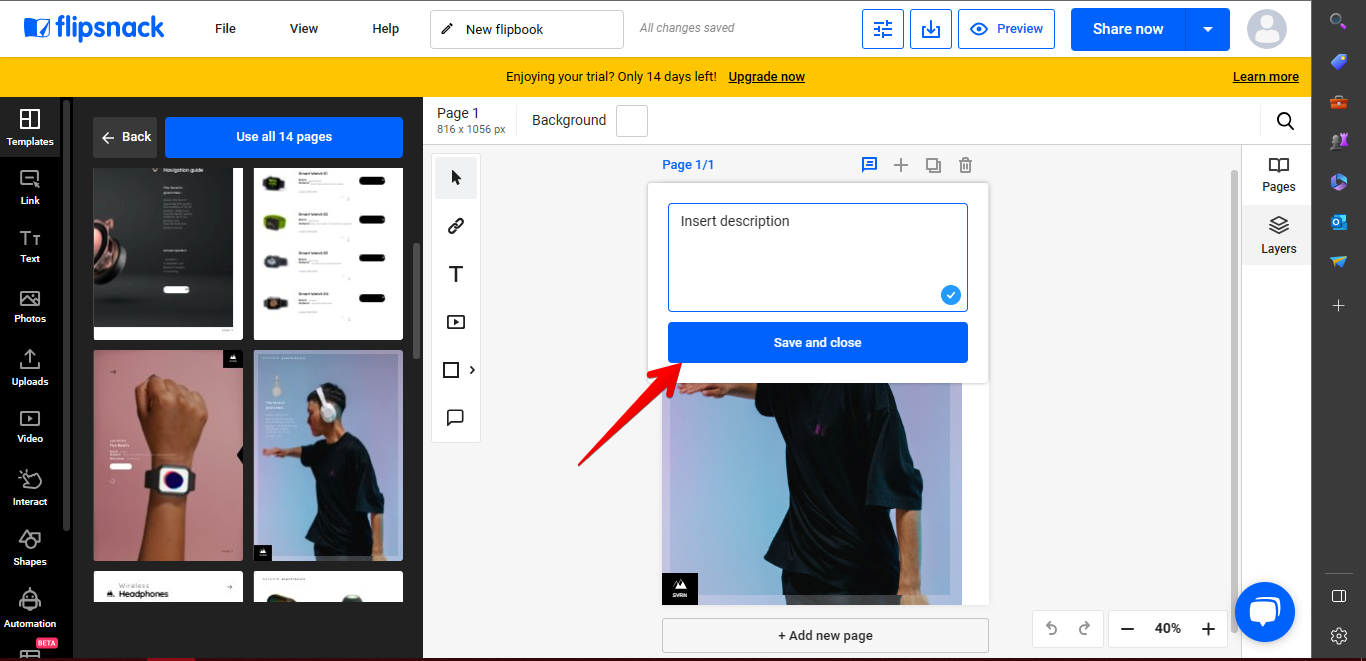
As a result, the balloon is displayed to add the desired note. Once the process is completed, just click on Save and close.
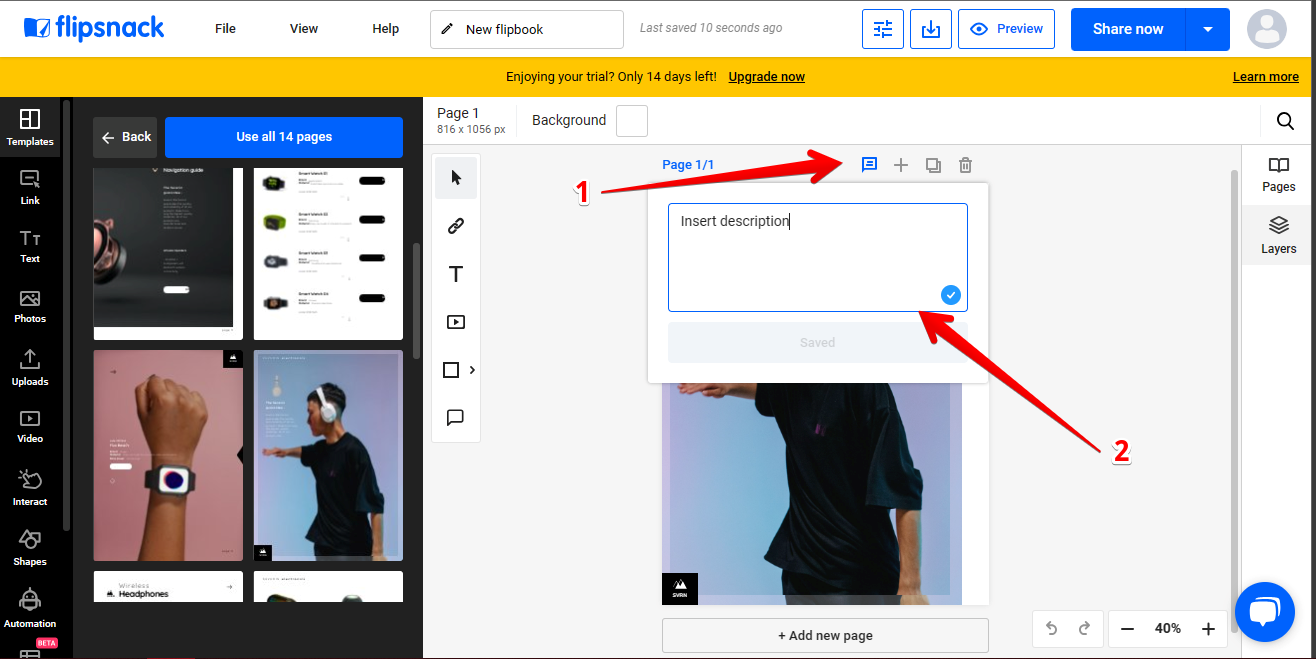
This function is very useful in collaborative environments. Indeed, if you work in a team, your colleagues will be able to add any notes as well. Obviously, this greatly improves the workflow. On the other hand, the note already created remains active. In other words, just click on the speech bubble to display it. Take a look at the following image.
To complement this tutorial, here are some tips to improve your note writing:
- Use clear and concise language in your notes.
- Keep your notes brief.
- Use the note function to leave feedback, make suggestions, or simply jotting down your thoughts.
- You can also add notes to multiple pages in your flipbook.
- Notes are a great way to collaborate on flipbooks with others.
- They can also be helpful for tracking your progress as you work on a flipbook.
Notes are a great way to collaborate on flipbooks with others. They can also be helpful for tracking your progress as you work on a flipbook. Bye!